 Filepetal
How to convert HEIC to JPG
- Choose one .heic file, or drop it into the tool above.
- Select “Convert to JPG”. Check the preview and output dimensions.
- Select “Download JPG” to save the image. Keep your original HEIC if you need it later.
Supported files and limits
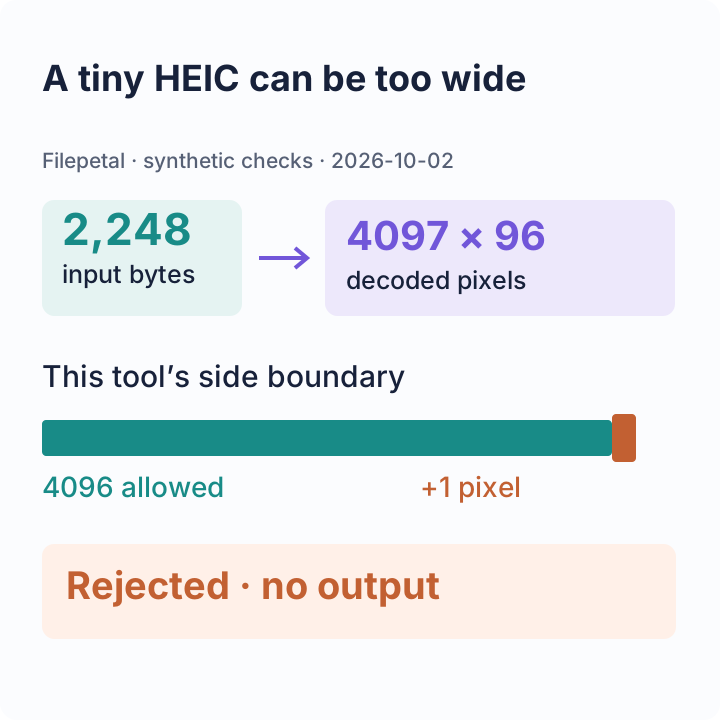
This page accepts one .heic image at a time, up to 20 MB (20,971,520 bytes). Decoded images must be no larger than 4096 pixels on either side and 16 million pixels in total. A small file can still exceed the pixel limit.
HEIC decoding and JPG encoding run in your browser. The output is a compressed still image. This page does not offer batch conversion, a resize control, a JPEG quality slider, or preservation of all HEIC metadata and auxiliary images. Unsupported or damaged files show an error.
Try our HEIC samples and check the results
On October 2, 2026, we checked this converter with four files we made ourselves. They contain geometric color blocks and a “TOP LEFT” marker, not personal photos or iPhone camera captures. Two are valid images; two exercise error handling. Download an input below and repeat the same conversion in the tool above.
| Sample | HEIC input | Observed result |
|---|---|---|
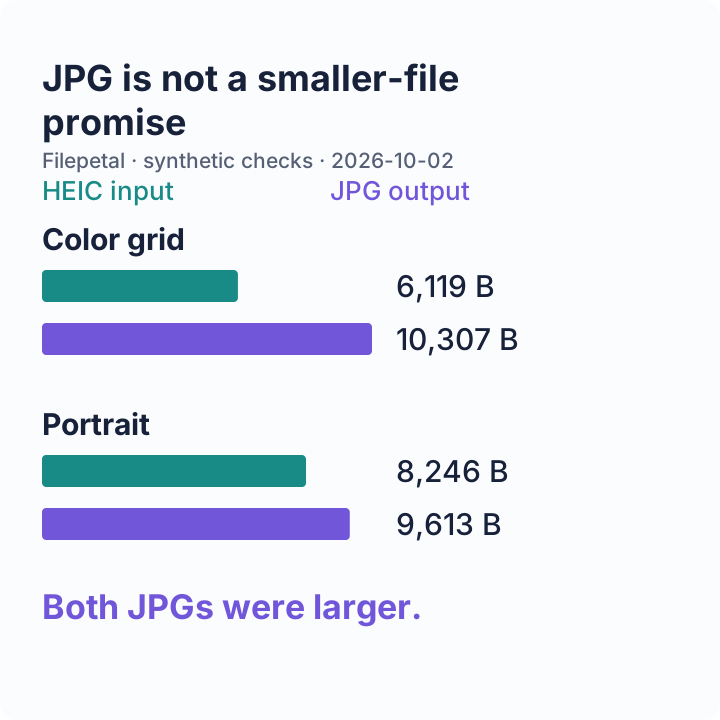
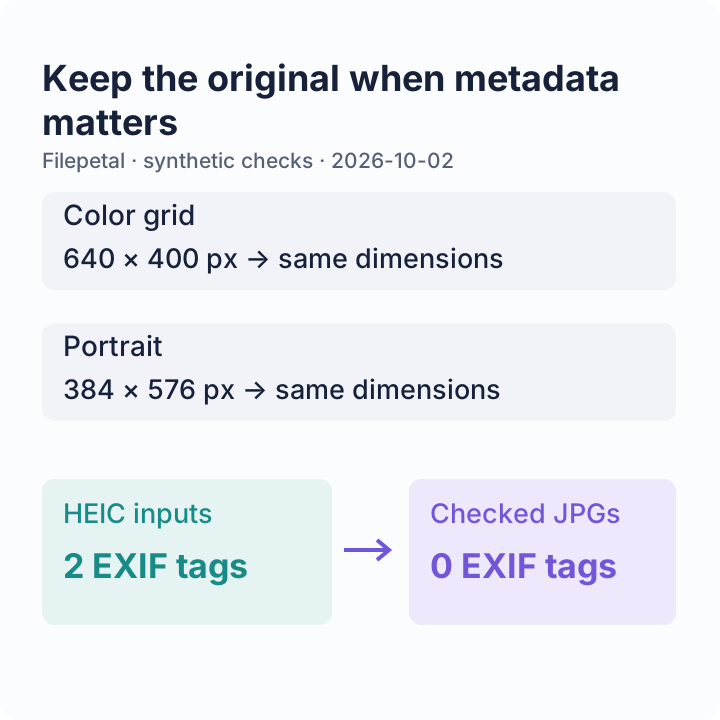
| Color grid | 640 × 400 px 6,119 bytes | JPG: 640 × 400 px 10,307 bytes |
| Portrait marker | 384 × 576 px 8,246 bytes | JPG: 384 × 576 px 9,613 bytes |
| Over-width image | 4097 × 96 px 2,248 bytes | Rejected: exceeds the 4096-pixel side limit. No output created. |
| Invalid header | 49 bytes Text named .heic | Rejected: not a valid HEIC file. No output created. |


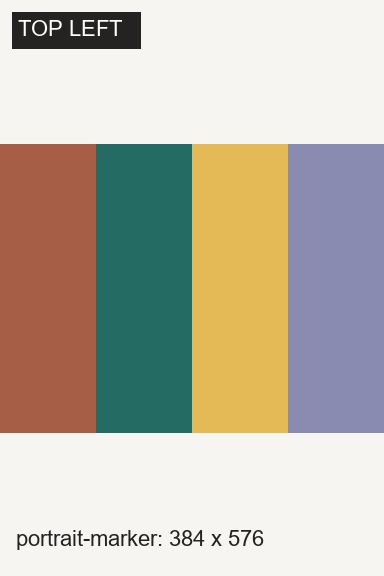


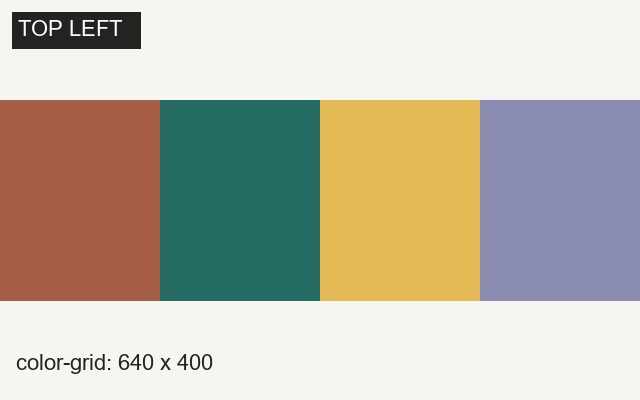
The two successful outputs opened as real JPEG images and kept the decoded input dimensions. Both JPGs were larger than their HEIC inputs. Changing formats is therefore not a promise to shrink a file. The color blocks and text also make it easier to inspect compression around edges instead of judging only a thumbnail.
Our valid inputs each contained an EXIF image-description tag and an orientation tag set to 1. Neither output JPG contained EXIF tags in this check. Keep the HEIC if camera information matters. This does not test rotated orientation tags, GPS records, HDR, Live Photos, or every phone’s HEIC variant.
The over-width sample is only 2,248 bytes, yet fails because its decoded width is 4097 pixels. The invalid sample shows why changing a filename to .heic does not make an image valid. These checks separate a supported conversion from a readable error, rather than treating every selected file as a success.
To reproduce: save a sample HEIC, select it above, convert, and compare the preview dimensions and downloaded file with the recorded result. Encoder versions may change the exact byte count. See the input manifest, output checks and SHA-256 hashes, and sample-generation script. Our synthetic sample graphics are released under CC0; you may use them for your own checks.
The checks, in three pictures
Changing from HEIC to JPG does not guarantee a smaller file or preserved metadata. Check the actual output and keep the original.
Frequently asked questions
Can I convert HEIC to JPG without uploading my photo?
Yes. Choose your file in the tool above; conversion runs on your device. Loading this page and its decoder requires website requests, but the conversion does not send your photo contents to a server.
Why is my JPG larger than my HEIC?
Different encoders and compression settings produce different file sizes. Both of our checked JPG samples above were larger than their HEIC inputs. Use the downloaded file’s actual size when deciding whether it fits an upload limit.
Will the JPG keep my original photo’s metadata?
Do not rely on it. This converter creates a new JPG from rendered pixels. Our two checked outputs had no EXIF tags; the tool does not provide a metadata-preservation option.
Why does a small HEIC fail to convert?
File size and decoded pixel size are separate limits. A file under 20 MB can exceed 4096 pixels on one side. A damaged file or an unsupported codec can also fail. Read the error shown above; do not rename a different format to .heic.
Can I convert several HEIC photos at once?
This page handles one file at a time. Download its JPG, then choose the next file. It does not create a batch ZIP.