 Filepetal
How to convert PDF to PNG
- Choose one PDF above.
- Select “Convert to PNG” and inspect the first-page preview.
- Download the PNG or extract the ZIP for several pages.
Rendered pages, with explicit limits
This tool rasterizes each visible PDF page, including text and graphics. It does not extract original embedded photos or preserve searchable text, links or editable vectors. Keep your PDF original.
Choose one unencrypted PDF. There is no fixed file-size or page-count cap. Rendering starts at twice the page viewport size, capped at 4096 pixels per side and 16 million pixels per page. There is no combined-pixel cap. Each page is rendered, encoded and its canvas released before the next page. Large pages scale down to the per-page bounds. The PDF, first-page preview and encoded archive still need device memory. Progress shows the current page; cancel stops the job without offering a partial archive. There is no DPI, page-range or transparent-background control.
Test background alpha, page boxes and rotation
On October 5, 2026, we created seven synthetic PDFs and converted them through this tool in the Codex in-app browser. They contain a blue rectangle and deliberately unpainted space, not personal documents. The successful PNGs were reopened to measure their dimensions, alpha channel and pixel colors. Download these exact inputs and outputs to check the result yourself.
| Input and dimensions | Measured output | What it checks |
|---|---|---|
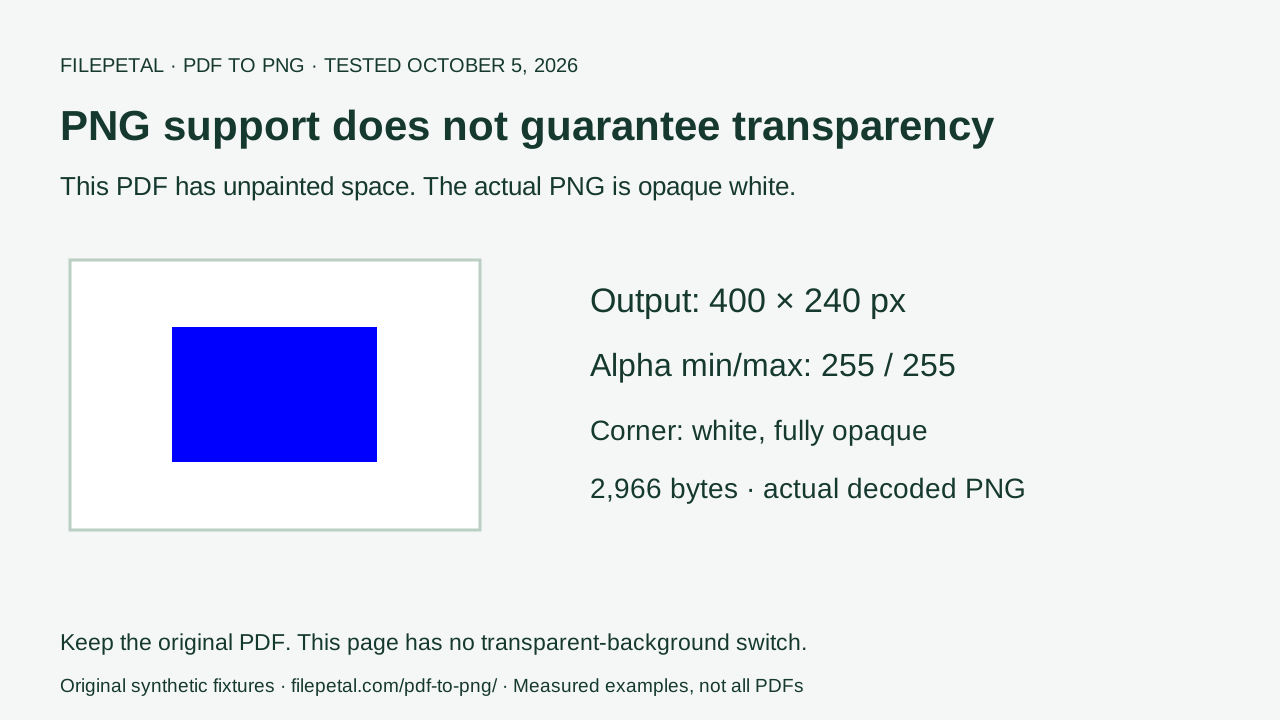
| Unpainted background 200 × 120 pt · 680 bytes | PNG: 400 × 240 px 2,966 bytes | All alpha values 255; corner RGBA (255, 255, 255, 255), center (0, 0, 255, 255). |
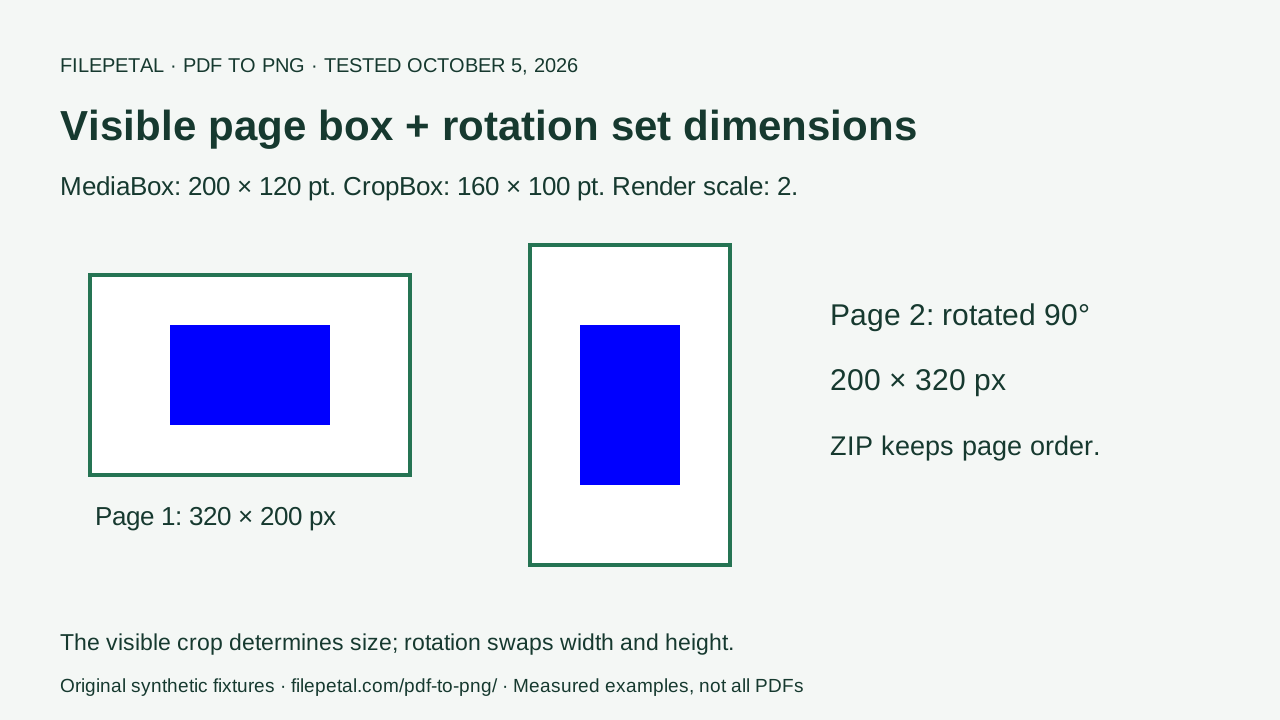
| CropBox and rotation 2 pages, MediaBox 200 × 120 pt; CropBox 160 × 100 pt · 1,004 bytes | ZIP: 2 PNGs 4,447 bytes Page 1: 320 × 200 px · 2,156 bytes Page 2: 200 × 320 px · 2,571 bytes | The smaller visible page box sets dimensions; the second page’s 90° rotation swaps width and height. |
| Wide vector page 10000 × 100 pt · 687 bytes | PNG: 4096 × 41 px 6,274 bytes | Rendering reduces scale to fit the long-side limit; the short side rounds upward. |
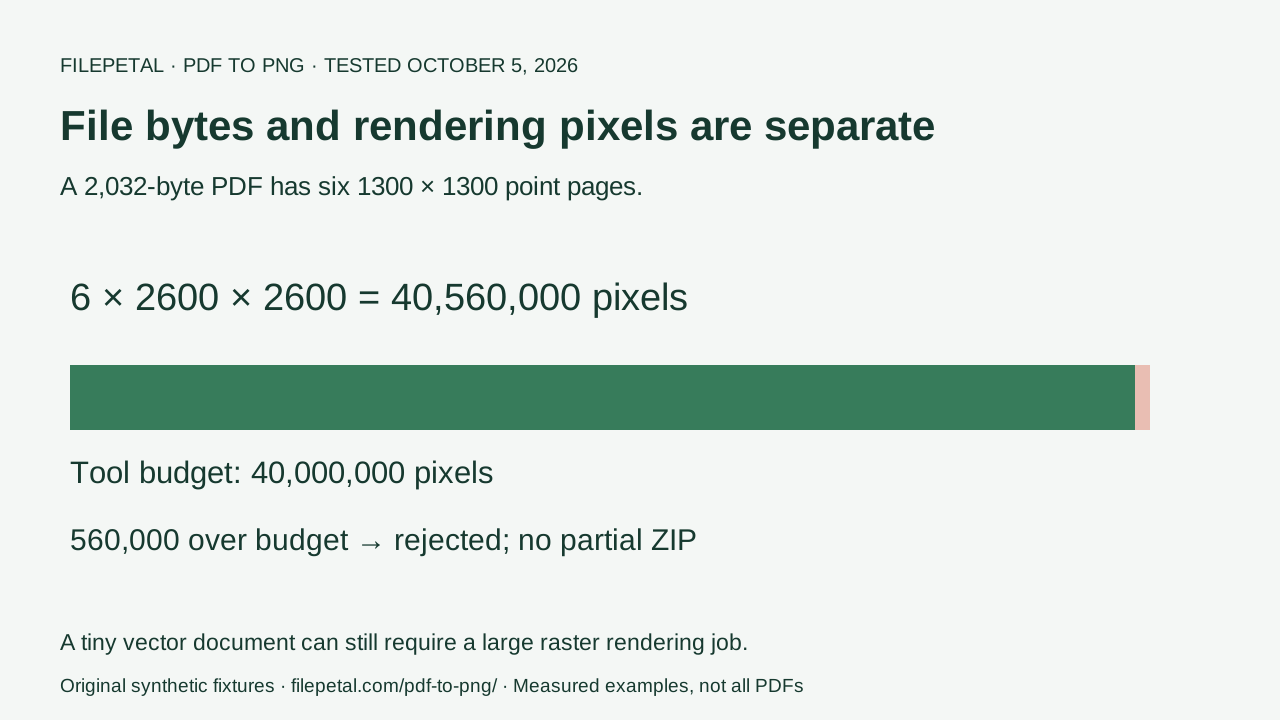
| Combined pixels 6 pages, 1300 × 1300 pt · 2,032 bytes | Historical morning result: rejected. The cap was removed later on October 5; the current retest below succeeds. | Six 2600 × 2600 px pages total 40,560,000 pixels. This is now a successful regression fixture. |
| Former page-count boundary 21 pages, 72 × 72 pt · 5,831 bytes | Rejected in the original morning test. This restriction was removed later on October 5; see the retest below. | Historical result, superseded by the current implementation. |
| Encrypted sample 200 × 120 pt · 1,147 bytes | Rejected; password-protected files are unsupported here. | A valid PDF can fail without a password field. Sample password: filepetal-sample-only. |
| Invalid PDF header 48 bytes · no valid page | Rejected as an invalid PDF. | A .pdf filename alone does not establish its format. |
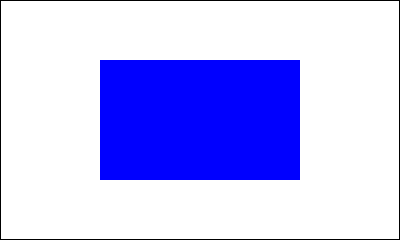


The first input draws no white background. Even so, its entire output alpha channel was opaque: minimum 255, maximum 255. The unpainted corner became white, while the central blue rectangle stayed blue. PNG can store transparency, but this PDF rendering path supplies a white background. Changing the file extension does not remove white paper or make a logo transparent.
Both pages of the crop sample use a MediaBox from (0, 0) to (200, 120), but a CropBox from (20, 10) to (180, 110). The visible area is therefore 160 × 100 points. At scale two, page-01.png is 320 × 200 pixels. The second page keeps the same crop and adds 90° rotation, producing page-02.png at 200 × 320. Its blue shape rotates with the page; the red outline outside the crop is absent from both outputs.

The wide input illustrates why lossless PNG is not unlimited resolution. Its page could start at 20000 × 200 pixels, but the 4096-pixel side cap lowers the scale to 0.4096. The saved canvas is 4096 × 41 pixels after rounding. PNG preserves the pixels that were rendered; it cannot restore vector detail discarded by rendering at that scale. Enlarge the preview to assess your own small text before using the result in print.
The combined-pixel sample is only 2,032 bytes. Each of its six square pages would render 6,760,000 pixels, so the document total exceeds the limit by 560,000. That error, the former 21-page error, the encrypted-file error and the invalid-header error all cleared the prior result and left no download link in the original morning test. The fixed page-count and combined-pixel restrictions have since been removed; the encrypted-file and invalid-header rejections still apply. A small file is not a guarantee of a small rendering job.
The ZIP contained page-01.png then page-02.png. Every saved image decoded as PNG and had fully opaque alpha, a white corner and a blue central pixel. These measurements describe these geometric fixtures and this tested browser. They do not certify every font, scan, annotation, color profile or device. Outputs may change when the browser encoder or PDF renderer changes.
To reproduce, download one PDF above, select it in the tool, convert and compare the preview and per-page list. Extract the ZIP before checking the second page. The input manifest and output verification include exact byte counts and SHA-256 hashes. Run the CC0 fixture generator and output inspection script to repeat the checks. A matching hash identifies the exact saved file; a different encoder’s hash is not, by itself, proof of a bad conversion.
Retest after removing the fixed size and page caps
On October 5, 2026, we removed the former 20 MB and 20-page restrictions for PDF input and tested these exact files in this browser tool. These measurements were saved after removing the byte/page caps, before the later sequential-processing update that also removed the combined-pixel cap. ZIP byte counts refer to these saved reference archives; the current streaming ZIP container can differ. These successful examples establish that the former thresholds no longer reject these files; they do not establish unlimited browser capacity.
| Input | Measured output | What it checks |
|---|---|---|
| Original 21-page fixture 72 × 72 pt per page · 5,831 bytes | ZIP: 21 PNGs 144 × 144 px per page · 23,017 bytes in ZIP | The exact previously rejected input now produces all 21 pages. |
| 50 numbered small pages 72 × 72 pt per page · 15,186 bytes | ZIP: 50 PNGs 144 × 144 px per page · 152,729 bytes in ZIP | All entries decode in page order. The document needs 1,036,800 rendered pixels, without reaching the former combined-pixel threshold. |
| PDF above the former 20 MB cap 1 page, 128 × 128 pt · 23,593,810 bytes (about 22.5 MiB) | PNG: 256 × 256 px 2,370 bytes | A real 3072 × 2560 RGB image stored without compression makes the file large. Its rendered page is small; both colored halves remain visible. |
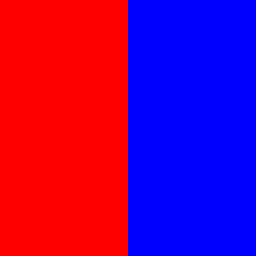
The 50-page fixture has a page number and a blue bar whose length increases on every page. We decoded every ZIP entry, checked filenames and dimensions, and verified all 50 PNG bar lengths against their page positions. The large PDF contains a red left half and blue right half. Its saved PNG has RGB (255, 0, 0) and (0, 0, 255) at the sampled centers. Encoded file bytes, embedded-image dimensions and rendered-page dimensions describe different memory costs.
Download the dated input dimensions, bytes and SHA-256 hashes, decoded output measurements and hashes, CC0 fixture generator and inspection script to reproduce. The earlier rejection rows above remain historical observations. Password-protected PDFs and invalid headers still fail without a partial download. The formerly rejected combined-pixel fixture now succeeds in the sequential retest below.
Retest without a combined-pixel cap
Later on October 5, 2026, we replaced the all-pages canvas array with sequential processing: render one page, encode it, add its compressed file to the archive, then release its canvas before starting the next page. The former 40-million combined-pixel rejection is gone. We converted the formerly rejected six-square input and a new 50-page Letter document in this browser tool. Every image below was reopened and decoded.
| Input | Measured output | Verified scope |
|---|---|---|
| 50 numbered Letter pages 50 pages · 612 × 792 pt each · 15,689 bytes | ZIP: 50 PNGs 1224 × 1584 px per page · 1,595,081 bytes in saved ZIP | 96,940,800 rendered pixels total. All entries decode in page order. All 50 blue bar lengths match the page positions. |
| Exact former six-square boundary 6 pages · 1300 × 1300 pt each · 2,032 bytes | ZIP: 6 PNGs 2600 × 2600 px per page · 229,126 bytes in saved ZIP | 40,560,000 rendered pixels total. All entries decode in page order. This exact input now succeeds. |
The 50 Letter pages total 96,940,800 pixels. Page N contains a numbered label and a blue bar that is 10 × N points wide; its rendered bar is 20 × N pixels wide. We checked all 50 bar lengths, dimensions and archive filenames for both PNG and JPG. The six square pages total 40,560,000 pixels and also produce a complete archive. These two documents exceed the former cap without lowering their previous rendering scale.
The PNG background, crop/rotation, wide-page scaling and 23,593,810-byte input also passed regression checks against the saved image bytes. Cancellation during conversion left no partial download, and the next one-page conversion succeeded. Password-protected PDFs and invalid headers still show errors. Progress displays the current page and total; cancellation may wait for the current encoding operation to finish.
This reduces retained decoded-page memory, not every memory cost. The original PDF, first-page preview, compressed ZIP chunks and encoded download representation still occupy memory. We did not measure a universal maximum or test every device. Individual pages still scale down to 4096 pixels per side and 16 million pixels. There is no DPI, page-range or password control.
Download the dated Letter input dimensions, bytes and SHA-256, every output’s dimensions, byte counts and SHA-256, CC0 generator and output inspection script. ZIP timestamps can change the archive hash; compare decoded entry hashes and page markers. The earlier budget diagrams and video record the former implementation and are historical, not current limits.
The conclusion, in three pictures
A PDF page becomes a finite raster image. Inspect background alpha, the visible page box and output dimensions before reusing it.
Frequently asked questions
Will PDF to PNG give me a transparent background?
This page’s measured output has an opaque white background, including unpainted PDF space. There is no background-removal switch here. Do not use its PNG as a transparent logo without separately editing and checking it. Our unpainted-background sample makes the distinction reproducible.
Why are my PNG dimensions different from the PDF page size?
PDF page boxes are measured in points; the PNG uses pixels. The crop sample renders its 160 × 100 point visible area at twice the viewport size, and 90° rotation swaps the resulting dimensions. Very large pages scale down to the stated pixel limits. Check the actual result rather than inferring pixels from a paper-size label.
Does lossless PNG preserve all vector detail?
PNG saves the rendered raster. It does not keep the PDF’s scalable paths or editable text. Our 10000-point-wide vector page becomes 4096 pixels wide because of the rendering cap. Changing PNG metadata cannot recover the missing resolution.
Can I convert without uploading my document to a server?
This tool reads your chosen file and renders it in your browser. It does not send the PDF to Filepetal for conversion. Download the result before closing the page, and keep the original. This describes the conversion path, not a promise that all browser or analytics traffic disappears.