 Filepetal
How to convert PNG to JPG
- Choose one .png file in the tool above.
- Choose White or Black for transparent areas, then select “Convert to JPG”.
- Inspect the actual JPG preview, pixel dimensions and byte count before downloading.
Your image is decoded and encoded in your browser without uploading the file. This converter keeps the decoded dimensions and creates one still JPG. Changing the background clears the old result: convert again to apply your new choice. Keep the PNG original when you need transparency, precise graphics or higher sample depth.
Transparency has more than one PNG representation
The PNG specification defines palette transparency in a tRNS chunk as well as full alpha channels. An indexed PNG can therefore be transparent without being an RGBA file. The selected solid background is applied after decoding. Partly transparent pixels blend with that background; their original RGB values do not simply become fully opaque.
The HTML canvas serialization specification describes encoding a bitmap as an image file. This tool requests JPEG quality 0.92 from the browser. That is an encoder setting, not a promise that 92% of the original detail survives. There is no quality slider, batch conversion, resize control or precision-preserving export here.
Eleven conversions: alpha, palette, precision and size
On October 6, 2026, we selected nine original synthetic PNG inputs in the actual tool. Two transparency inputs were each converted twice, once on white and once on black. Eight runs produced downloadable JPGs; three produced errors. We saved the offered JPG bytes and decoded every output with Pillow, independently of the preview. These measurements concern this sample set in the desktop in-app browser; the engine version was not recorded.
| Input and purpose | PNG dimensions / bytes | Actual JPG result |
|---|---|---|
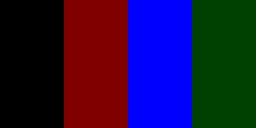
| RGBA alpha bands | 256 × 128 px 494 bytes | White: 1,074 bytes Black: 1,060 bytes Both 256 × 128 px |
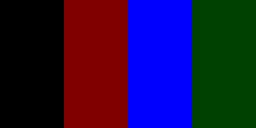
| Indexed palette + tRNS | 256 × 128 px 1,125 bytes | White: 1,074 bytes Black: 1,060 bytes Both 256 × 128 px |
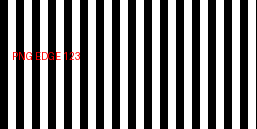
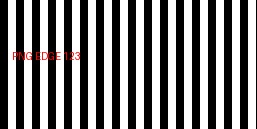
| Flat stripes and small text | 257 × 129 px 1,244 bytes | JPG: 2,742 bytes 257 × 129 px |
| Seeded RGB noise | 257 × 129 px 99,720 bytes | JPG: 30,943 bytes 257 × 129 px |
| Adjacent 16-bit gray levels | 256 × 64 px 253 bytes | JPG: 851 bytes 256 × 64 px |
| At the side limit | 4096 × 8 px 206 bytes | JPG: 1,146 bytes 4096 × 8 px |
| One pixel beyond the side limit | 4097 × 8 px 206 bytes | Rejected: dimensions exceed the 4096-pixel side limit. |
| Truncated PNG | 40 bytes; incomplete image | “This image could not be opened in this browser.” |
| Text named .png | 34 bytes; no PNG header | “This file is not a valid PNG file.” |











RGBA and palette transparency produced identical bytes
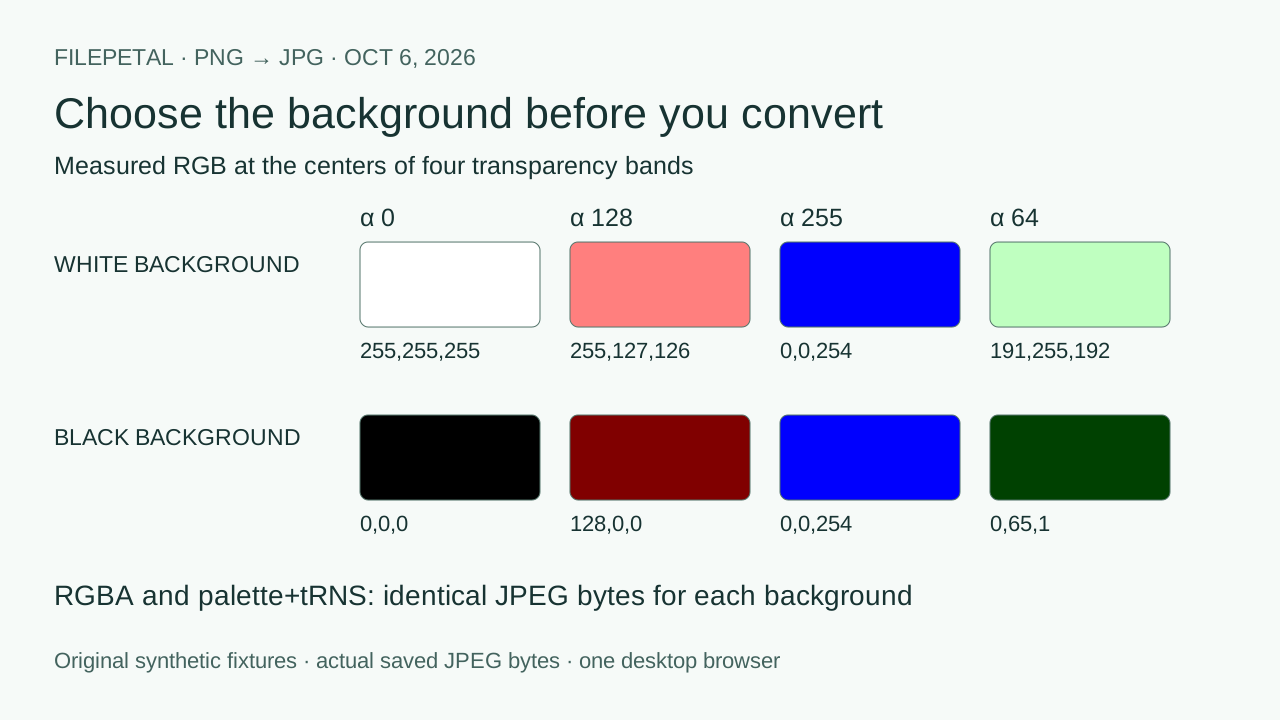
The two PNGs store the same four color bands differently: one uses color type 6 (RGBA), the other color type 3 with a tRNS alpha table. For each background choice, their saved JPG bytes and SHA-256 hashes matched. This is a controlled check of decoding those representations, not a claim that all PNG variants behave identically.
At band centers, the white-background JPG read RGB (255, 255, 255), (255, 127, 126), (0, 0, 254), and (191, 255, 192). The black-background version read (0, 0, 0), (128, 0, 0), (0, 0, 254), and (0, 65, 1). The half-transparent red became pale on white and dark on black. Fully transparent hidden pink did not reappear. These are measurements of saved JPEG pixels, including small compression differences.
Two adjacent 16-bit source values merged
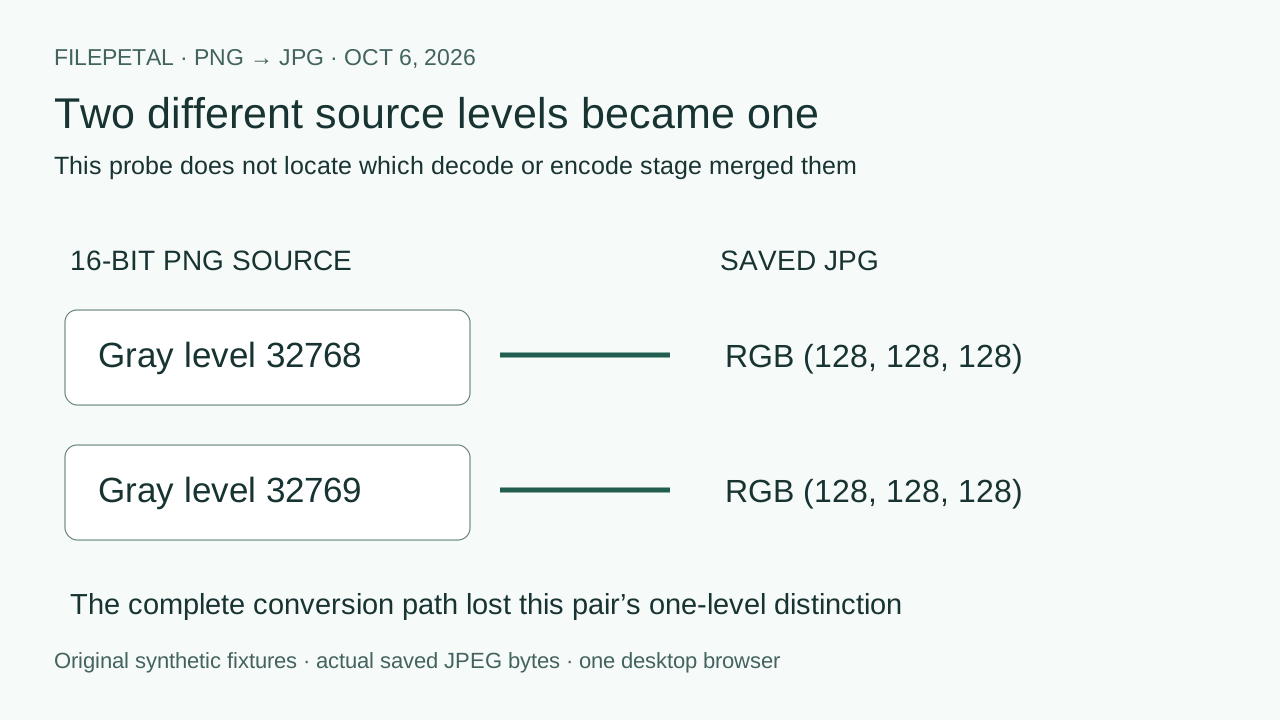
Our grayscale PNG contains 32768 on its left half and 32769 on its right half. They differ by one source level. Both saved JPG probe points were RGB (128, 128, 128). The output could not distinguish this pair. We observed the complete decode-and-encode path; this test does not identify which stage merged the values, or establish color-management behavior for other PNGs.
Smaller files depend on the pixels
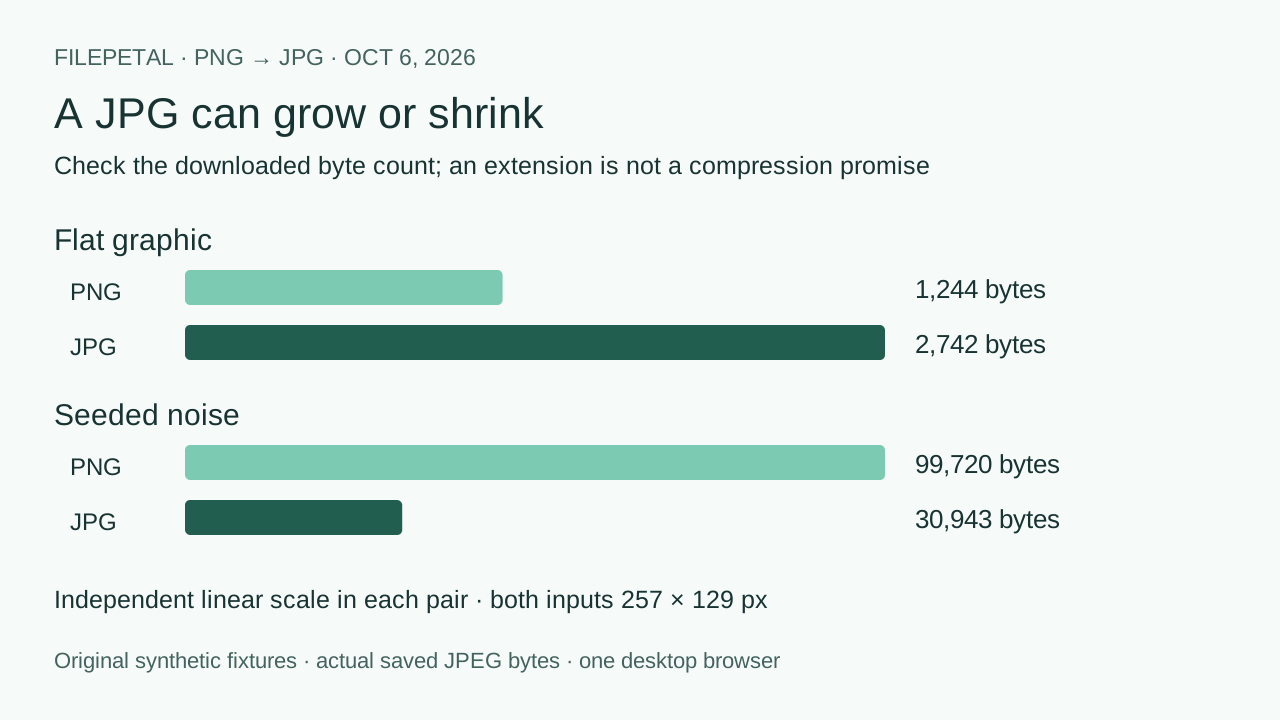
The flat graphic grew from 1,244 to 2,742 bytes, while seeded noise shrank from 99,720 to 30,943 bytes. Both retained their odd 257 × 129 dimensions. Noise is a reproducible high-variation pattern, not a real photograph or a predicted compression ratio for your photo. Inspect small text and edges in the paired downloads; unchanged dimensions do not mean unchanged pixels.
The 206-byte 4096-pixel input succeeded; the equally small 4097-pixel input failed. This isolates side length from compressed file size. The truncated file reached decoding and failed, while renamed text failed header validation. Each error removed the previous download. We did not test the separate 20 MiB or 16-million-pixel boundaries.
Repeat these checks with the generation script and output-check script. The input manifest and output verification contain dimensions, exact bytes, SHA-256 hashes and RGB probes. Future browser encoders can produce different bytes. No tests here establish HDR, ICC-profile fidelity, metadata preservation, animation handling, another browser or a physical phone.
These paired samples add verification material. Background controls and previews are common converter features; this study does not establish an exclusive conversion advantage.
The checks, in three pictures
Check the actual pixels and bytes before replacing your PNG original. Each diagram below uses this page’s October 6 measurements.
Supported PNGs and current tool limits
Choose one non-empty PNG up to 20 MiB (20,971,520 bytes), with decoded dimensions at most 4096 pixels on either side and 16 million pixels total. These are this implementation’s limits, not limits of the PNG format. Oversized dimensions are rejected rather than resized. A valid extension alone is insufficient: corrupt or unsupported files display an error.
Frequently asked questions
Why does a transparent PNG get a solid background?
This JPG output is opaque. Select white or black to decide what appears behind transparent pixels. Our two matched PNG representations demonstrate that partially transparent colors also change; selecting black does not recover invisible source colors.
Can an indexed PNG have partial transparency?
Yes. The PNG specification permits palette alpha values in tRNS. Our indexed sample uses alpha values 0, 128, 255 and 64, and its white and black outputs matched the corresponding RGBA sample bytes.
Will PNG to JPG always make the file smaller?
No. The checked flat graphic grew to 2,742 bytes; the noise pattern shrank to 30,943 bytes. Compare the download’s displayed bytes against your requirements. A different extension does not guarantee compression.
Does JPG preserve my PNG’s 16-bit precision?
Do not use this output to preserve higher sample precision. The tested source values 32768 and 32769 merged to the same JPG value. Keep the original PNG when a one-level difference matters.