 Filepetal
How to convert SVG to ICO
Choose one self-contained SVG file, or paste its markup and select Use SVG code. Choose the four-size option to put 16, 32, 48 and 256 pixel images into one ICO. The alternative 256 px only setting keeps the previous single-image output. Convert, select an embedded image in the result preview, then download the ICO. Switching the output setting clears the previous result so you can convert again.
Keep your original SVG for later edits. This page creates raster icon images, not editable SVG paths. It does not install a favicon on your website, create an app manifest or replace a Windows shortcut automatically. Check the saved icon in the application where you intend to use it; a successful browser download alone cannot verify that application’s icon requirements.
One download can contain four real sizes
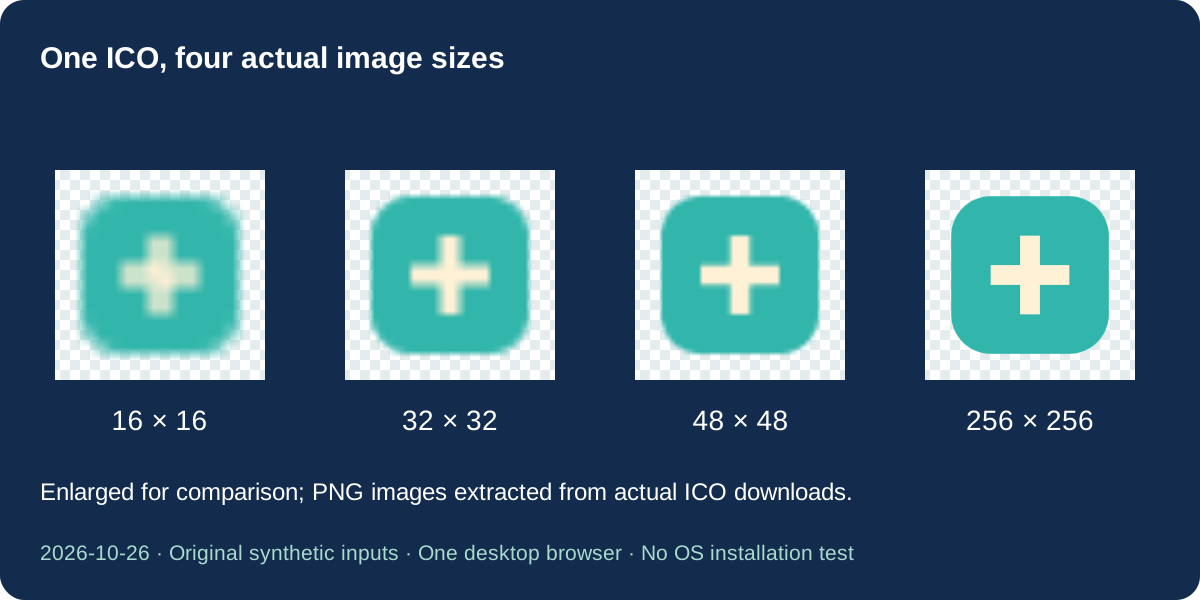
Our October 26, 2026 square sample was drawn on a 128 by 128 SVG canvas. The four-size download contains four separate PNG images at exactly 16, 32, 48 and 256 pixels square. We parsed the actual downloaded ICO directory and decoded every stored image independently. The preview selector changes which stored-size rendering you see; the download still contains all four images.
The matched single-size file is 4,283 bytes; the four-size file is 5,864 bytes. Adding useful sizes increased this file by 1,581 bytes. These are measurements of this drawing in this browser, not a prediction for another logo. The single-size download is byte-for-byte identical to our download from the previous production page, confirming that the old option remains available rather than being renamed as a new conversion.
Microsoft describes icon resources as containers for multiple image variants, with common sizes including 16, 32, 48 and 256 pixels. Our converter generates those four square images from the same SVG source. It does not perform a separate designer’s optical correction for the smallest icon or certify compatibility with every historical icon reader.
Why does a wide logo have clear space?
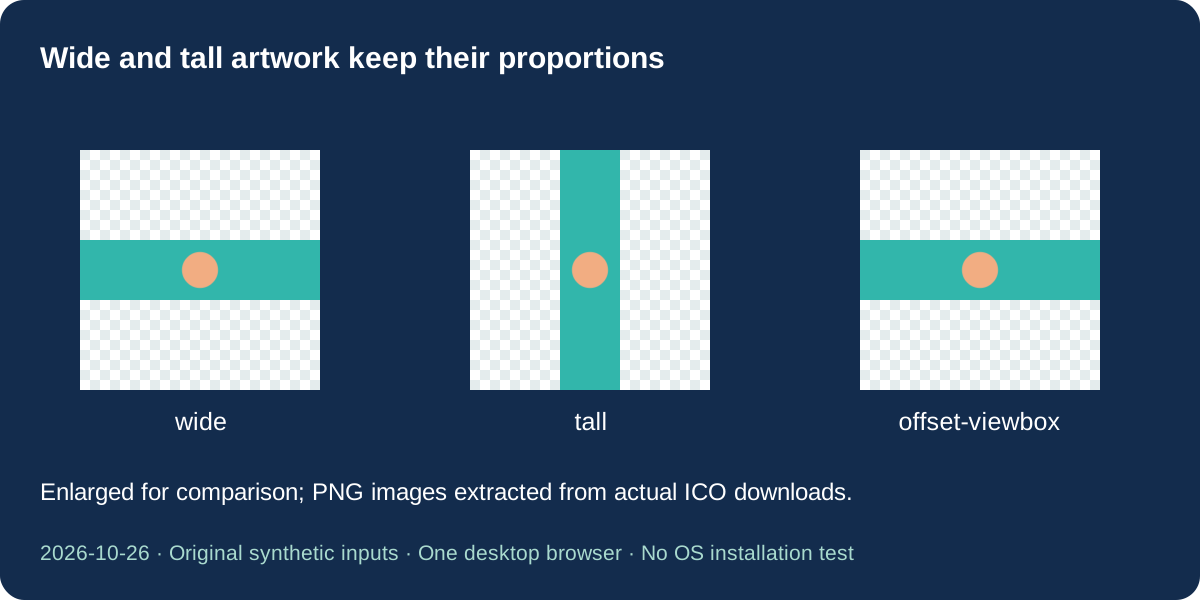
The wide test source is 320 by 80, a four-to-one canvas. Inside its 256 pixel icon image, the painted strip occupies 256 by 64 pixels and is centered vertically. There are 96 clear pixels above and below it. At the 16 pixel icon size, the strip becomes 16 by 4 with six clear pixels on either side vertically. The smaller drawing is expected proportional fitting, not a failed conversion.
The tall control reverses those dimensions. Its 256 pixel image contains a 64 by 256 strip with clear space on the left and right. We also moved the wide artwork to a nonzero viewBox origin while keeping its appearance and canvas proportions. All four extracted PNG payloads matched the original wide test exactly. A nonzero origin alone did not add margins or move the artwork in this pair.
This tool fits the entire source canvas, including empty space already present in that canvas. It does not search for colored pixels and crop around them. If a long wordmark is too small in a square icon, prepare a square symbol version in your SVG editor. Stretching the whole logo to fill a square would change its proportions; adding more ICO sizes cannot turn a long wordmark into a legible small symbol.
Judge thin details at the actual icon size
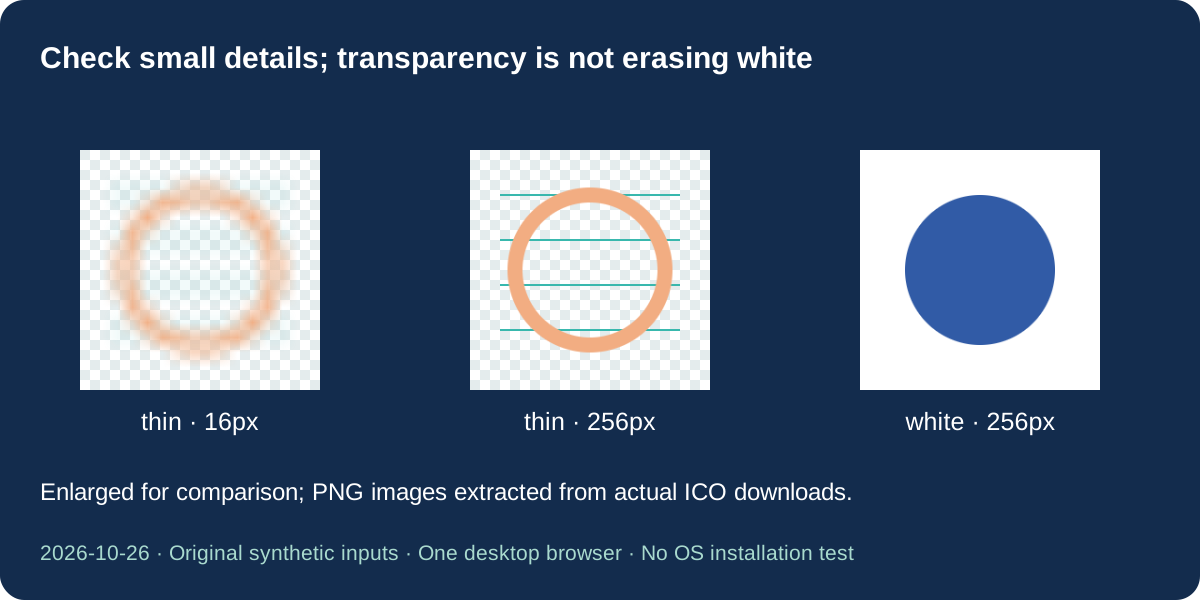
Our thin-line input combines four one-unit horizontal strokes with a thicker circular outline. We saved the same source at four icon sizes. The extracted 16 pixel image has far fewer pixels to represent the thin strokes than the 256 pixel image. Compare the downloadable pictures at native size before approving a favicon; an enlarged illustration is useful for inspection but does not add detail to the actual small icon.
The page renders each size from the prepared SVG rather than resizing an already saved 256 pixel PNG four times. That still does not guarantee perfect visual readability at 16 pixels. Simplify tiny lettering, narrow gaps or fragile strokes in the source when the small version is unclear. Our test supports this specific comparison; it does not rank rasterizers, promise sharper results than competitors or reconstruct detail after conversion.
The other matched source paints a white square behind a blue circle. Its four icon images retain opaque white corners. By contrast, the square symbol without a background keeps clear corners in all four images. A checkerboard in the preview indicates display surroundings only; it is not drawn into the ICO. Converting the file does not identify or erase unwanted white objects.
Supported SVG content and tested failures
The existing static SVG checks remain in place: one input up to 2 MB, positive source dimensions up to 4096 pixels per side and 16 million total pixels. Supply pixel dimensions or a valid viewBox. Scripts, animation, external images, embedded images, links, use, foreignObject and inline or block CSS are rejected. Use self-contained shapes and presentation attributes. Text uses fonts installed on your device; outlining lettering avoids reliance on an unavailable font.
Repeat the exact experiment
Download the six valid original SVG inputs below and select the four-size option. Save the offered ICO and inspect its embedded images with an icon reader, or use our ICO to PNG page to choose one image. Repeat the square source using the single-size setting. The verification file identifies the actual input and output bytes, full SHA-256 hashes, directory dimensions and extracted PNG images from this experiment.
We separately selected malformed markup, an external image reference, a script element, a style attribute and an oversized source. All five produced an error with no offered ICO or stale download. These are diagnostic examples, not an exhaustive security or SVG conformance audit. The dated reference files were tested in one desktop browser; no competitor conversion, physical phone or operating-system installation was tested.
A hash identifies the exact archived file, not universal image quality. Different browser encoders may produce different compressed bytes. The extracted PNG links are study materials from our saved ICOs; the tool itself downloads one ICO, not a separate PNG package or website installation bundle. Preserve your editable SVG and check the target program’s requirements before replacing an existing icon.
Download dated samples and measurements
| SVG input | Input bytes | Actual ICO download | ICO bytes | Contained sizes |
|---|---|---|---|---|
| offset-viewbox.svg | 182 | offset-viewbox-multiple.ico | 4169 | 16, 32, 48, 256 |
| square.svg | 225 | square-multiple.ico | 5864 | 16, 32, 48, 256 |
| square.svg | 225 | square-single.ico | 4283 | 256 |
| tall.svg | 185 | tall-multiple.ico | 4166 | 16, 32, 48, 256 |
| thin.svg | 253 | thin-multiple.ico | 11505 | 16, 32, 48, 256 |
| white.svg | 185 | white-multiple.ico | 6930 | 16, 32, 48, 256 |
| wide.svg | 185 | wide-multiple.ico | 4169 | 16, 32, 48, 256 |






Full dates, dimensions, bytes, hashes and extracted PNG list · SHA-256 · Original input generator · Reproduction steps and scope
SVG to ICO questions
Was preview added in this update?
The original page already had SVG and converted ICO previews. This update adds a choice between four stored sizes and one 256 pixel image, plus a selector to inspect each generated size. Basic preview and local conversion are existing capabilities.
Why is the wide logo so small?
The whole source canvas is fitted inside a square without stretching. Our 320 by 80 source uses only a 16 by 4 strip inside a 16 pixel icon. Prepare a simpler square symbol or adjust your source artboard; this tool does not crop around the drawing.
Does the four-size setting download four files?
No. It downloads one ICO containing four PNG images. Changing the contained-image preview does not remove other sizes from that ICO. The study’s extracted PNG links are reference materials, not a new live PNG export mode.
Will transparency remove my white background?
No. Existing clear areas stay clear, while painted white pixels stay opaque. Our white-square control retains opaque corners in every size. Edit the SVG to remove an unwanted background object before converting.
Is this a complete favicon installation package?
No. This page creates an ICO. It does not generate Apple or Android icons, a manifest, HTML installation code or a platform compatibility certificate. Use the exact files required by your destination and verify them after installation.
Format references and scope
Microsoft: About Icons · SVG preserveAspectRatio. Shared format facts are not exclusive capabilities. These experiments support the archived sample results only.
Related tool: ICO to PNG