 Filepetal
How to convert BMP to PNG
Choose one BMP, select Convert to PNG, then inspect the actual result and download it. This page converts one still image at its decoded dimensions. The checkerboard behind a preview indicates transparent areas; it is not painted into your PNG. There is no background eraser, resize control, folder scan or batch ZIP on this page.
A PNG can store transparency, but changing a filename or format does not decide which part of your picture is background. Keep the BMP when the original encoding, profile or another application’s interpretation matters. Check a saved result in the application where you plan to use it.
A PNG extension does not remove a background
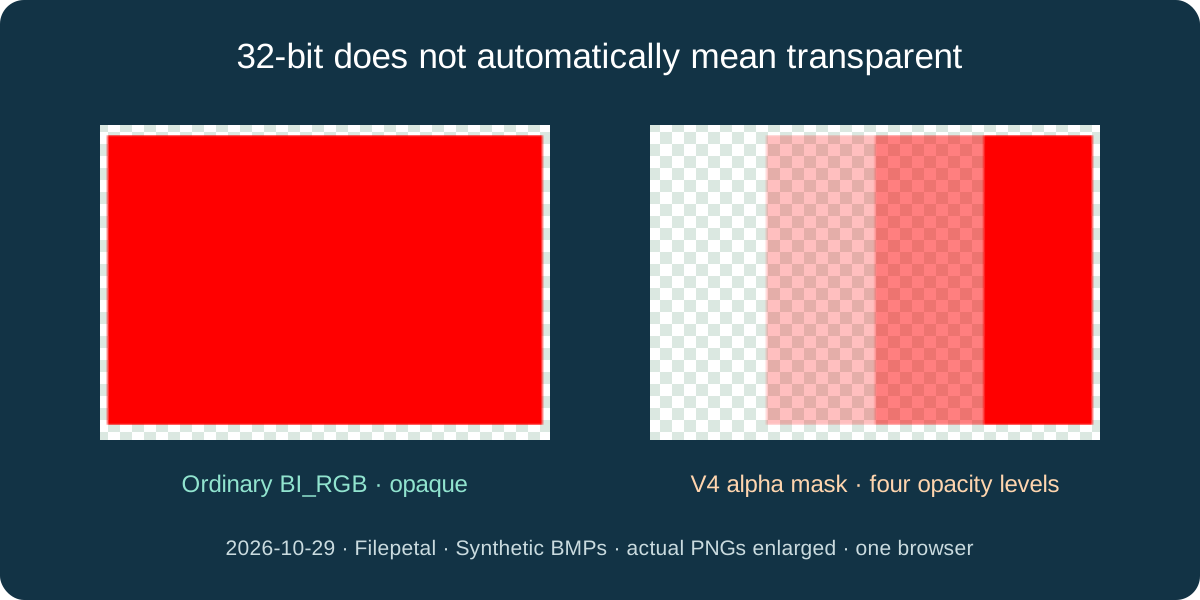
On October 29, 2026, we wrote two original 120 by 80 BMPs with identical pixel arrays. Both contain red pixels and fourth-byte bands of 0, 64, 128 and 255. The ordinary 40-byte-header BI_RGB file downloads as a 454-byte PNG with every pixel opaque. Its red background has not been removed.
The other file uses a 108-byte V4 header, explicit red/green/blue and alpha masks, and BI_BITFIELDS. Its actual PNG is 475 bytes and retains four alpha levels. This demonstrates a difference in these two BMP representations, not a switch newly added to the converter. The existing browser decoder already handled both. A fully transparent pixel’s hidden RGB became zero in the canvas output, so this is not a promise to preserve every hidden source byte.
Bottom-up storage is not an upside-down picture
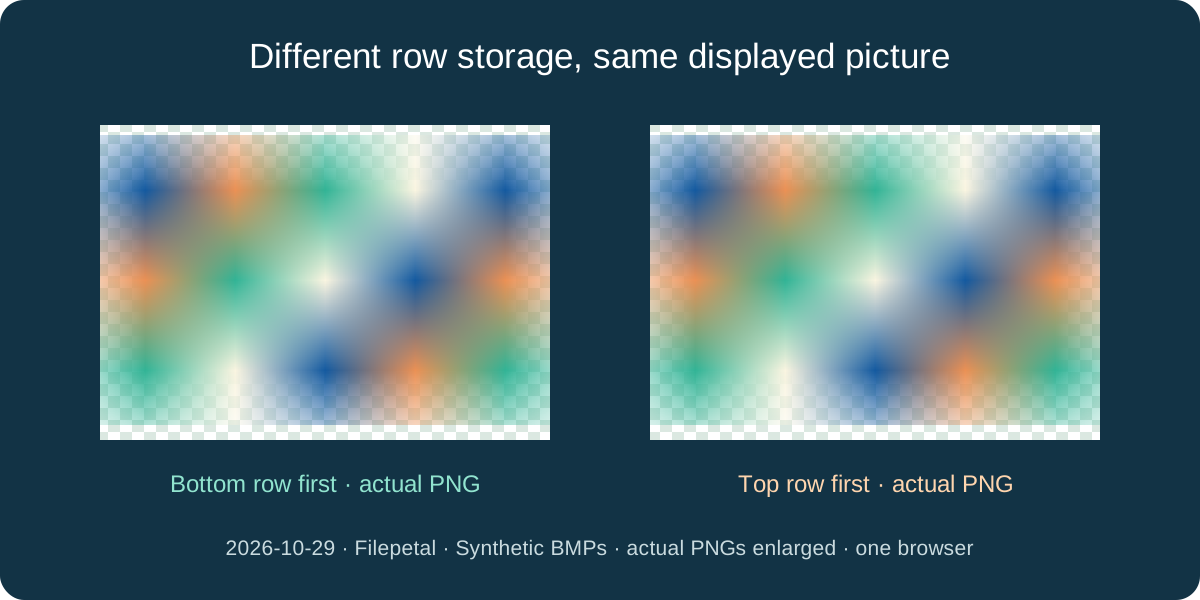
We also generated two 5 by 3, 24-bit BMPs with the same intended color grid. One has positive height and stores its bottom row first; the other has negative height and stores its top row first. Each 15-byte row includes one padding byte. Both saved PNGs are identical 144-byte files with the same upright arrangement.
Padding is storage alignment, not an extra column to display. Our deliberately nonzero padding bytes did not become colored edge pixels. A separate 8-bit indexed file with the same palette and arrangement produced the same PNG too. This is a controlled row-order and palette check, not an automatic rotation feature or support claim for every BMP compression mode.
A smaller PNG is not guaranteed
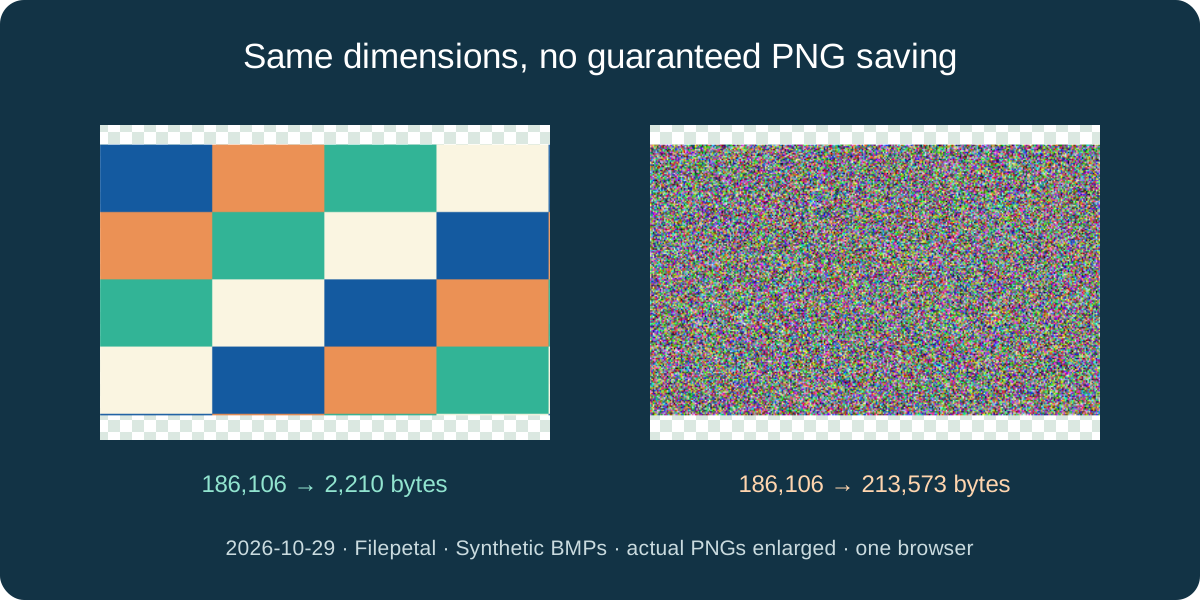
Our two 321 by 193, 24-bit uncompressed BMPs are each 186,106 bytes. The four-color block drawing becomes a 2,210-byte PNG. The separately generated, seeded random-color picture becomes a 213,573-byte PNG: larger than its BMP. Both keep their 321 by 193 dimensions. The downloads identify the exact files behind these opposite outcomes.
These are two synthetic contents in one browser, not a compression ranking or an expected saving for your photo. Pixel arrangement, encoder choices and container overhead all affect the stored size. This page has no PNG quality or compression slider. Do not treat file size as a measure of recovered detail, and do not replace an archive without inspecting what you need to preserve.
What the tested files do and do not establish
The eight valid inputs cover 24-bit rows, top-down storage, an 8-bit palette, 16-bit RGB565 masks, ordinary 32-bit RGB and V4 alpha. The separate RGB565 input exports a 5 by 3 PNG of 115 bytes. Four deliberate controls—a truncated pixel array, an incomplete header, a renamed PNG signature and a 4,097-pixel-wide BMP—are rejected with no result download.
The existing limits are one file up to 20 MB, at most 4,096 pixels per side and 16 million pixels in total. Processing uses this browser’s bitmap decoder and a canvas PNG export. We did not test RLE, embedded JPEG/PNG BMP payloads, calibrated or embedded color profiles, printing, other browsers, physical phones or competing converters. Lossless PNG storage does not mean the original BMP container and metadata are retained.
Download exact BMP inputs and actual PNGs
The verification manifest retains input/output dimensions, byte counts and full SHA-256 values. Hashes identify exact files; they are not quality scores.
| Input BMP | Actual PNG | Output size |
|---|---|---|
| odd-bottom-up.bmp 5 × 3 · 102 bytes | odd-bottom-up.png 144 bytes | 5 × 3 |
| odd-top-down.bmp 5 × 3 · 102 bytes | odd-top-down.png 144 bytes | 5 × 3 |
| palette-8bit.bmp 5 × 3 · 94 bytes | palette-8bit.png 144 bytes | 5 × 3 |
| rgb32-reserved.bmp 120 × 80 · 38,454 bytes | rgb32-reserved.png 454 bytes | 120 × 80 |
| v4-alpha.bmp 120 × 80 · 38,522 bytes | v4-alpha.png 475 bytes | 120 × 80 |
| rgb565.bmp 5 × 3 · 102 bytes | rgb565.png 115 bytes | 5 × 3 |
| flat-color.bmp 321 × 193 · 186,106 bytes | flat-color.png 2,210 bytes | 321 × 193 |
| seeded-noise.bmp 321 × 193 · 186,106 bytes | seeded-noise.png 213,573 bytes | 321 × 193 |












verification.json · input-manifest.json · SHA256SUMS.txt · generate-fixtures.py · REPRODUCE.md · truncated.bmp · bad-header.bmp · renamed-png.bmp · too-wide.bmp ·



Microsoft: V4 color and alpha masks · Microsoft: row order and stride
Frequently asked questions
Why is my PNG background still there?
Opaque source pixels remain part of the picture. This converter does not select a background color or remove objects. Inspect the actual output before replacing your source.
Can a BMP contain transparency?
Some BMP representations can. Our V4 alpha-mask example retains transparency, while the ordinary BI_RGB example with the same pixel array is opaque. A 32-bit label alone is not enough to decide.
Will bottom-up BMP rows flip my PNG?
Our matched positive-height and negative-height samples export identical upright PNGs. Row storage order and displayed orientation are different; we did not add a rotation control.
Will PNG always save space?
No. Our 186,106-byte block drawing became 2,210 bytes, but the same-size random-color BMP became 213,573 bytes. These are specific samples, not guaranteed ratios.
Can I convert a whole folder here?
This page converts one BMP at a time and creates one PNG. It has no recursive folder scan, batch conversion or combined ZIP download. Keep originals until you have checked your results.