 Filepetal
How to convert GIF to MP4
- Choose one .gif file above, then select “Convert to MP4”.
- Play the actual converted video in the result panel. Check the movement, pauses and background.
- Download the MP4 shown in that panel. Keep the original GIF if you need its transparency or loop settings.
Conversion runs locally in your browser. The first conversion loads the video encoder; your GIF is not uploaded to a conversion server. This tool exports one silent H.264 video at 20 frames per second, without speed, repeat-count, trimming or background controls. Its player shows the encoded MP4, rather than playing the original GIF as a substitute.
What four GIF inputs actually produced
On October 12, 2026, we generated four original synthetic GIFs with Pillow 11.3.0 and converted them using Filepetal in the desktop in-app browser. We downloaded each actual MP4 and completely decoded it with native FFmpeg 7.1. These small controlled fixtures test unequal frame holds, loop metadata, transparent disposal and a single-frame input. They do not establish quality or speed for every GIF, device or video player. The browser engine version was not recorded.
| Input and purpose | GIF dimensions / bytes | Actual MP4 |
|---|---|---|
| Unequal holds, infinite-loop flag | 241 × 161 px · 4 frames 5,488 bytes | 242 × 162 px · 4,282 bytes 1.00 s · 20 encoded frames |
| Same frames, loop value 2 | 241 × 161 px · 4 frames 5,488 bytes | 242 × 162 px · 4,282 bytes 1.00 s · identical output hash |
| Moving patch on transparency | 240 × 160 px · 4 frames 4,856 bytes | 240 × 160 px · 2,724 bytes 1.00 s · white background |
| One picture with a 500 ms hold | 240 × 160 px · 1 frame 1,365 bytes | 240 × 160 px · 2,264 bytes 0.50 s · 10 encoded frames |
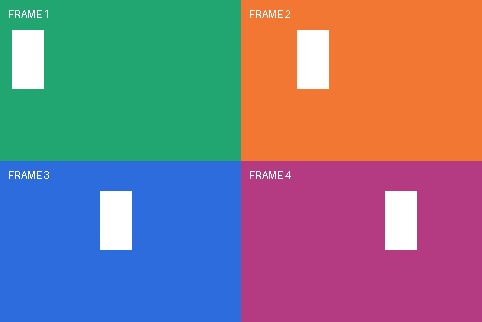
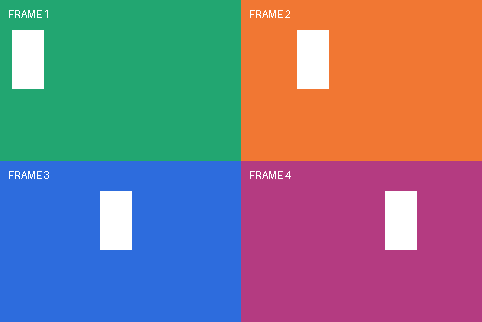

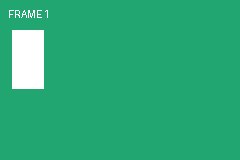
Total duration can survive while individual pauses change
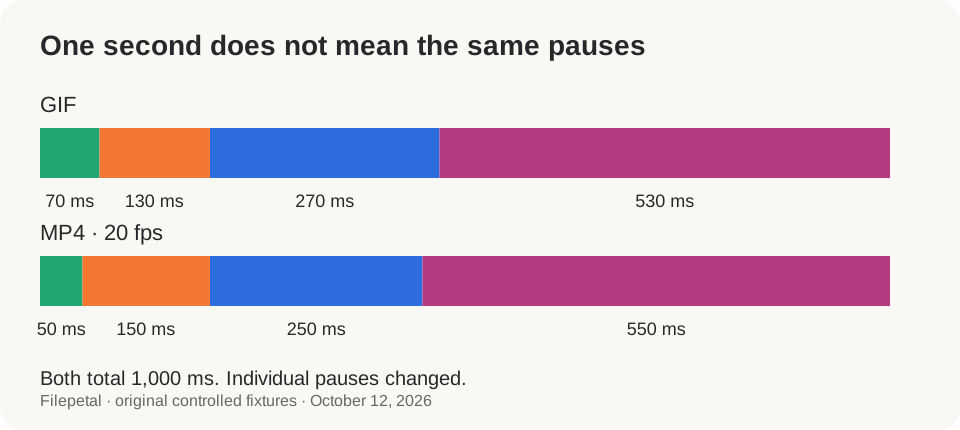
The colored input frames last 70, 130, 270 and 530 milliseconds: their sum is 1,000 milliseconds. The decoded MP4 holds the same four pictures for 50, 150, 250 and 550 milliseconds. Both files therefore last one second, but the green and blue frames stop sooner while the orange and pink frames remain longer. Matching total duration alone would miss this change.
The current encoder uses a fixed 20 fps grid. One output frame occupies 1,000 ÷ 20 = 50 milliseconds; the four measured holds correspond to 1, 3, 5 and 11 encoded frames. This is duplication of pictures, not creation of new intermediate motion. The FFmpeg fps filter can duplicate or drop frames to reach its chosen rate. Very short source holds may therefore lose distinct pictures; that faster-animation case was not tested here.
A loop flag does not make a longer video here
The two odd-sized inputs contain the same pictures and delays, with loop values 0 and 2 respectively. Their GIF hashes differ because the metadata differs. Filepetal produced byte-identical MP4s: each has 20 frames and lasts 1.00 second. The infinite-loop input did not run indefinitely, and the second input did not become a repeated multi-second clip.
This converter exports one animation cycle. Our preview plays that finite file with ordinary video controls and does not automatically loop it. Replay in a website or receiving app is a separate player setting. If you need a longer repeated clip, create the repeats in a video editor; this page does not offer that editing function. Check your destination’s actual requirements rather than assuming that a loop flag will be carried over.
Odd edges are padded rather than cropped
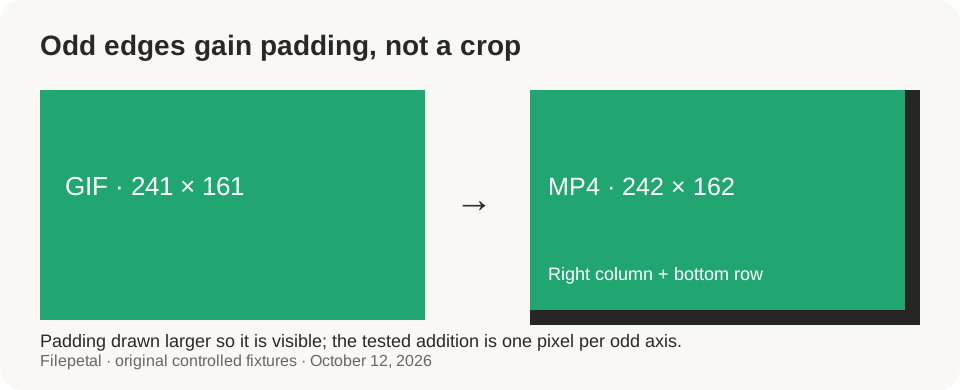
The 241 × 161 GIF became a 242 × 162 video. The existing padding rule rounds each dimension up to the next even integer, adding one column at the right and one row at the bottom for this input. The moving markers and corner area remain in the decoded frame. The result panel now reports the output dimensions, instead of copying the smaller input dimensions into the MP4 result.
Even-sized inputs remained 240 × 160. This is not a resize option, square crop or social-media aspect-ratio preset. The preview fits the video into its panel without changing the downloaded frame size. Inspect a recognizable edge when you need exact placement in another layout; an extra row or column can matter even though it is visually small.
Transparent areas became white and old frame patches were cleared
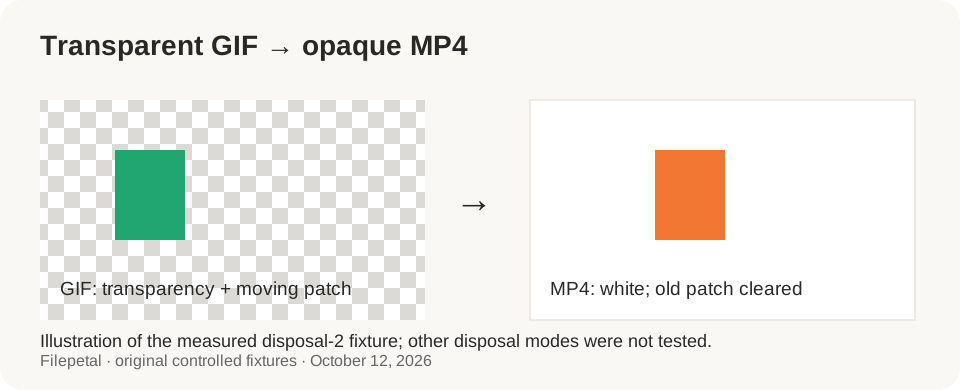
The transparent fixture moves a colored rectangle across four positions and uses disposal method 2 between frames. In the decoded MP4, the originally empty background is white and the earlier rectangle disappears as the next one arrives. The saved frame extracts show the cleared positions, so this observation is based on the encoded video rather than the browser’s display background.
The output is opaque H.264 in yuv420p, not an alpha-channel animation. Existing GIF transparency is not retained by this conversion, and there is no background-color selector here. The tested disposal method worked for this fixture; mixed disposal modes, unusual palettes and other encoders were not tested. Keep the source if you plan to place the animation over a colored design.
MP4 is not always smaller
Our four-frame odd-sized GIF decreased from 5,488 to 4,282 bytes, while the single-frame example grew from 1,365 to 2,264 bytes. The latter contains one 500 ms picture, encoded as ten video frames. These exact pairs show that a format change can add overhead for a very small input. They do not predict a compression ratio for your animation.
All four outputs decoded as H.264 at 20 fps with no audio stream. Color values changed slightly during video encoding, so these results do not support a lossless-quality claim or restoration of detail. Play the actual result and compare it with the original when edges, text or color are important. A successful download establishes conversion, not that the result suits every receiving service.
Errors and reproducible evidence
A 50-byte text file renamed .gif failed header validation. A 64-byte truncated GIF failed decoding. A valid 4097 × 96 GIF, only 1,132 bytes, exceeded the side-length limit and was rejected. Choosing or rejecting a new input clears the old result and download. The current limits are 20 MiB, 4096 pixels per side and 16 million pixels total; we tested the side-length boundary, not the other two thresholds. The encoder has a two-minute execution timeout. Available device memory also matters.
Download the input dimensions, delays, sizes and SHA-256 hashes, complete decode results and output hashes, file hash list, original fixture generator and reproduction instructions. The paired MP4s and frame extracts are part of this evidence set. Mobile checks cover browser layouts, not a conversion test on a physical phone. No competitor conversion was run, so these samples establish Filepetal’s behavior without claiming superiority over another encoder.
GIF to MP4 questions
Why does the video stop instead of looping?
This tool exports one finite animation cycle. Both tested loop values produced the same one-second MP4. Replay requires a player loop setting or a clip with repeated frames; the converter does not offer repeat-count controls.
Why do the pauses feel different?
The 20 fps output uses 50 ms steps. In our sample, 70/130/270/530 ms became 50/150/250/550 ms. Preview the movement instead of relying only on the total duration, which was unchanged at one second.
Why did my transparent background disappear?
The tested transparent GIF became an opaque white-background MP4. This converter does not preserve alpha or offer a background selector. Keep the GIF if you need an animation to remain transparent.
Why is the width or height one pixel larger?
An odd input dimension is padded to the next even value. Our 241 × 161 fixture became 242 × 162; a 240 × 160 fixture stayed the same size. The converter adds an edge rather than cropping the animation.
Can the MP4 be larger than the GIF?
Yes. Our 1,365-byte single-frame GIF produced a 2,264-byte MP4. Compare the actual result size in the panel; smaller files and improved visual quality are not guaranteed.
Technical references
The official FFmpeg fps documentation describes frame duplication and dropping. Its GIF demuxer documentation describes delay and loop handling. These references explain encoder behavior; the downloads above establish the observations for this tool and these fixtures.