 Filepetal
How to convert ICO to PNG
Choose one ICO, then use “Icon image” to select a stored picture. The largest image is selected initially. Choose “Convert to PNG”, inspect the actual result and download it. The name includes its width, height and image number, so two pictures with the same dimensions can be saved separately.
One conversion produces one PNG at the selected entry’s native dimensions. Changing the selection clears the old result; convert again to obtain the new picture. The checkerboard belongs to the preview, not the downloaded artwork. This tool does not remove a painted background, export every entry into a ZIP or batch-convert multiple ICO files.
One ICO can contain different pictures
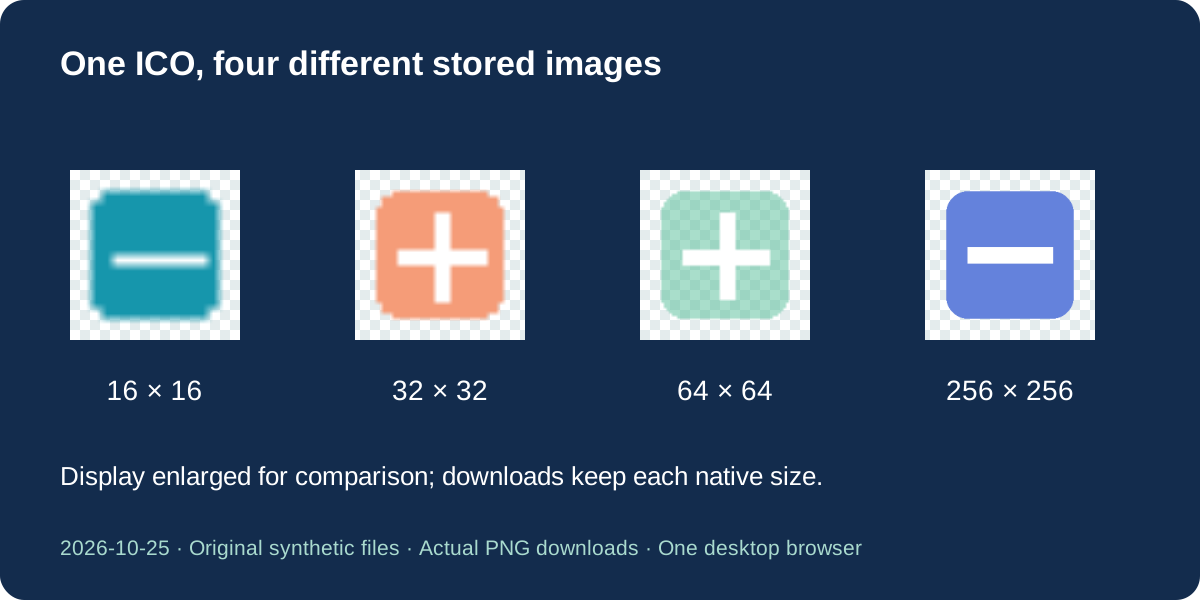
Our October 25, 2026 sample contains four deliberately different drawings at 16, 32, 64 and 256 pixels square. The small teal picture has a horizontal white mark; the peach and partly transparent green pictures have a plus; the largest blue picture has a horizontal mark. These are original synthetic images, not extracted application logos. The designs make the chosen entry visible without relying only on a filename.
Selecting each entry produces a PNG with that entry’s stored width and height. A 16-pixel selection stays 16 pixels; it is not stretched to 256. The larger blue image and the smaller plus images are different artwork, so “largest” means the largest stored image, not necessarily the version you want. Inspect the shape as well as the dimensions before replacing an existing asset.
Microsoft describes icon resources as collections of images optimized for different sizes and color depths. This converter gives you an explicit selection rather than asking the operating system to choose a display size. Saving a PNG does not create a complete application icon package, recover an absent size or invent detail that is not present in the selected image.
Does directory order change the default?
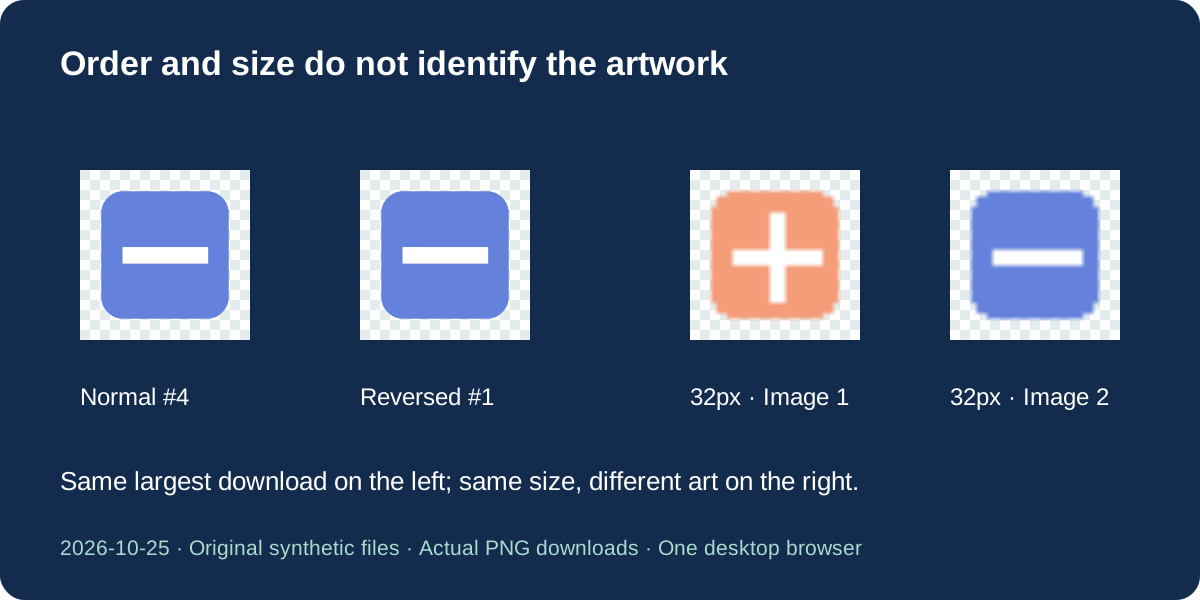
We also reversed the four entries without changing their embedded images. In the normal file the 256-pixel image is number four; in the reversed file it is number one. Both initially select the 256-pixel image. The rule uses stored pixel area, then declared color depth, then the first directory position when those values are equal. It does not judge artistic quality or compare the appearance of two pictures.
The same-size sample contains two 32-pixel images: one peach plus and one blue horizontal mark. Their dimensions alone cannot identify the intended artwork. The menu keeps their separate image numbers, and changing that number changes the downloaded picture. A repeated size is therefore not automatically a duplicate that can be discarded. Keep the source ICO if you may need another entry later.
Transparency is different from a white background
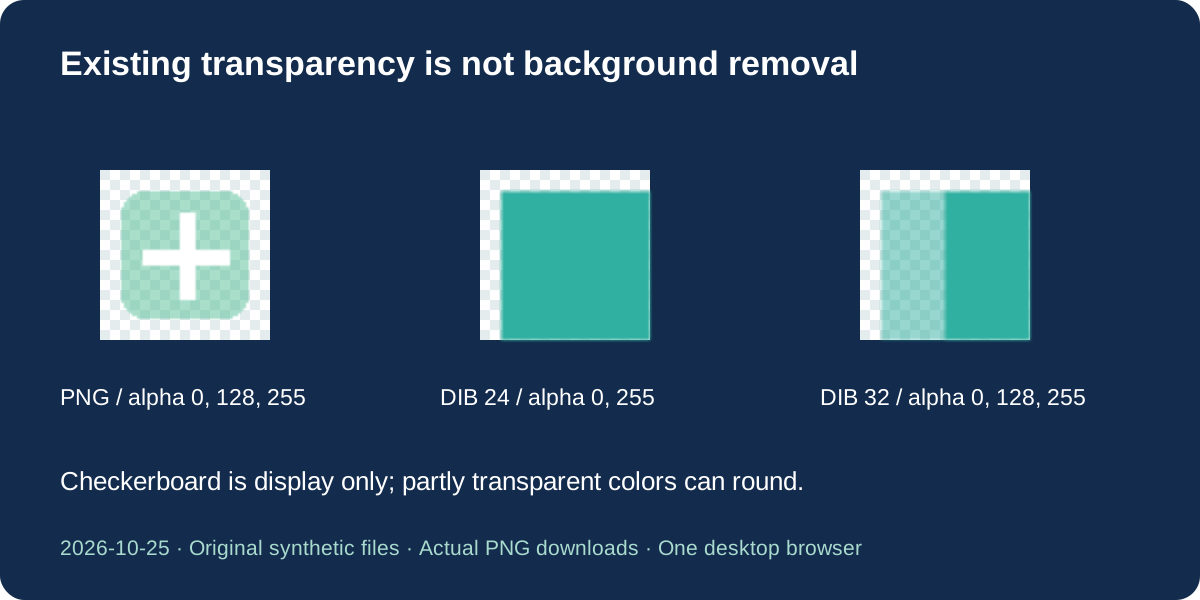
Our 64-pixel PNG-based entry has a transparent border and partly transparent green fill. We also generated separate 24-bit and 32-bit bitmap-based ICOs. The 24-bit sample stores its transparent corner in an icon mask; the 32-bit sample includes a partly transparent region. These files exercise different storage paths rather than testing only one modern PNG-based icon.
Check the paired downloads and the dated verification record for their measured alpha values and color differences. Browser canvas decoding and encoding can round colors in partly transparent pixels. The evidence supports the tested dimensions, visible designs and transparency behavior; it does not establish perfect color-profile or byte preservation for every icon. The output is a newly encoded PNG, not the original ICO with a different extension.
An opaque white area remains part of the image. Conversion does not determine which painted pixels should be erased. Previewing against a checkerboard helps locate transparent space, but a light appearance alone does not prove transparency. If your destination applies a background, inspect the saved PNG there as well. We did not test Windows shell installation or every image editor.
Supported input and current limits
Select one ICO of up to 20 MiB, or 20,971,520 bytes. The file must contain an ICO directory and image data matching the declared dimensions. The width or height directory byte of zero represents 256 pixels. PNG payloads and bitmap-based entries are passed through the selected-image decoding path. Browser codec support still matters; an uncommon or damaged bitmap encoding may be rejected instead of producing a download.
This is a single-file, single-selected-image converter. It has no enlargement, crop, background eraser, palette editor or animation control. A cursor file is not accepted as an ICO, even if it is renamed. Files are processed in the browser without sending their contents to a conversion server. Keep your original file because other stored sizes and their metadata are not carried into the one-image PNG result.
Problem files tested before download
We selected a zero-image directory, a truncated directory, an image offset beyond the end of the file, a cursor header, a payload that is not an image and a directory whose stated size disagrees with the embedded PNG. Each is a separate original diagnostic input. The intended outcome is a clear error with no partial PNG or stale result left to download. These checks do not exhaust every malformed ICO.
The directory is checked before the selection list is offered. The selected image is checked again during conversion, and its decoded dimensions must match the entry. If a file fails, return to its source editor and export a fresh ICO, or choose a different valid stored image where available. Renaming a file cannot repair missing directory bytes, fix an invalid offset or make a cursor become an icon.
Repeat the experiment with the exact files
Download the sample ICO and choose the image number listed in the verification record. Convert it, inspect the result and save the offered PNG. The record provides the original experiment date, input and output dimensions, bytes and full SHA-256 hashes. The fixture generator creates the original controlled drawings; the independent inspection script reads the actual downloads with Pillow and compares the expected designs.
A hash identifies an exact recorded file. Another browser encoder can produce different bytes without changing the visible image, so do not use hash equality alone as a universal quality test. The normal-order, reversed-order and repeated-size controls answer different questions: native size, default selection and separate artwork. Our baseline download selected 256 pixels without a selection control; today’s choice and visible result are additions to this existing page.
The study covers original synthetic files in one desktop browser. It does not measure all operating systems, color profiles, unusual icon compression, physical phones or competitor conversions. Selecting an icon image, showing a preview and retaining transparency are common capabilities, not an established exclusive advantage. The added value of these samples is a reproducible explanation of which stored image becomes your PNG.
Download samples and verification
| Input | Actual PNG downloads |
|---|---|
| multi-size.ico | multi-16.png · multi-32.png · multi-64.png · multi-256.png · |
| reverse-order.ico | reverse-256.png · |
| same-size.ico | same-1.png · same-2.png · |
| single-png.ico | single-64.png · |
| dib-24.ico | dib-24.png · |
| dib-32.ico | dib-32.png · |






Dates, dimensions, bytes and full hashes · Original fixture generator · Independent inspection script · Reproduction steps and limits
Official format reference: Microsoft: About Icons
Frequently asked questions
Why is my PNG small?
It uses the selected stored size. Choose a larger entry if the ICO contains one; conversion does not invent a missing high-resolution picture.
Can two entries have the same size?
Yes. Our paired 32-pixel sample has different artwork at the same size. Use the image number and actual preview to choose.
Does this remove a white background?
No. Existing transparent pixels can remain transparent, but opaque white pixels stay white. Background removal is a separate edit.
Can I export every size at once?
No. Each conversion saves one selected image. Select another image and convert again, keeping the original ICO.
Why is my ICO rejected?
A damaged directory, out-of-bounds image data, mismatched dimensions, cursor header or unsupported image encoding can cause an error. Re-export a valid ICO rather than only renaming it.