 Filepetal
How to convert JPG to SVG
- Choose a JPG or JPEG. Clear, solid shapes are easier to inspect than a busy photograph.
- Select “Convert to SVG” and inspect the actual result above.
- Download the SVG. Keep the JPG to compare edges, small lettering and colors.
This tool traces colored regions into paths in your browser. It approximates the picture; it does not recover the original artwork, fonts or missing photo detail. It has no background-removal or tracing-quality selector. If you have the original vector design, use that instead of tracing a compressed export.
JPEG compression can become extra shapes
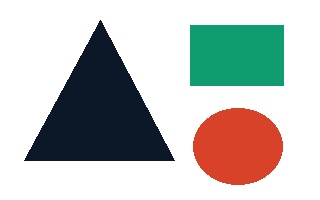
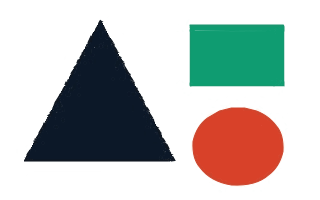
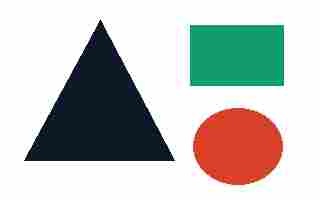
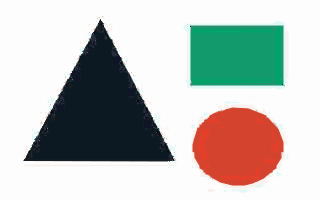
We drew one triangle, rectangle and circle on white, then saved the same 320 × 200 artwork as JPEG at quality 95 and 15. These are input-generation settings, not controls on this converter. The higher-quality input was 9,053 bytes and produced an SVG of 138,422 bytes with 803 paths. The more compressed input was 2,975 bytes but produced 161,939 bytes with 1,104 paths. Making the JPEG smaller did not make this traced SVG smaller.
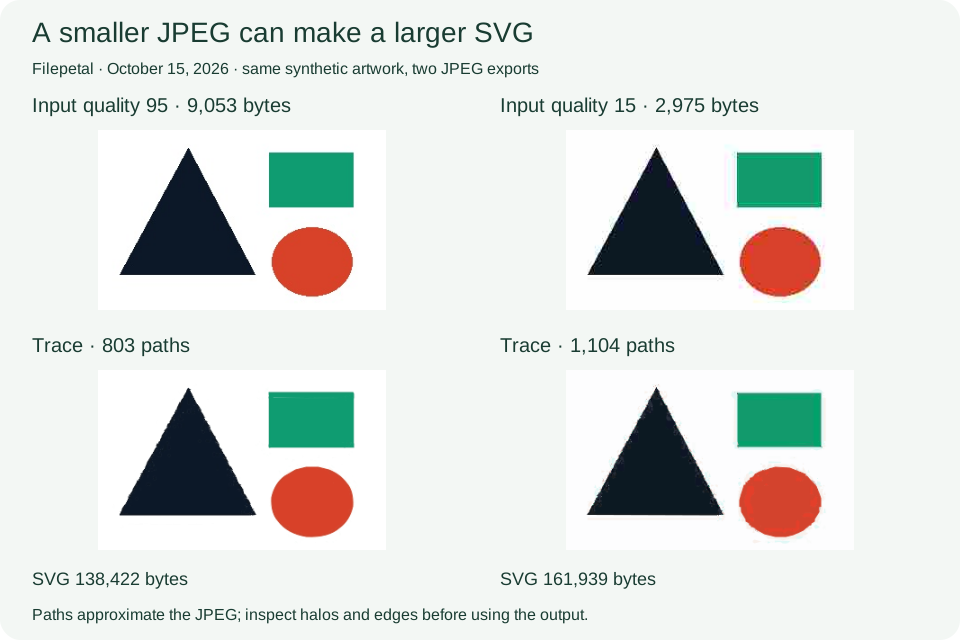
The low-quality trace shows pale patches near the green rectangle and a stepped outline around the red circle. The saved files contain 15 and 16 distinct path fill colors respectively, although the drawing started with only four flat colors including white. JPEG edge pixels and tracing both affect the result; this paired test does not isolate every cause or prove that every low-quality JPEG will create more paths. Inspect hard edges and use a cleaner source when those patches matter.
A real user question about JPEG tracing artifacts helped define this experiment. That question concerns Inkscape; its results are not evidence of Filepetal behavior. Our conclusions here come from the downloadable files below.
Matching dimensions do not restore thin details
Our 2,048 × 256 JPEG contains lines drawn at widths of 1, 2, 4, 8 and 16 pixels, plus a large green area. Its SVG still declares 2,048 × 256, but the saved viewBox is 0 0 1024 128. The tool reduced the image before tracing and used that smaller coordinate system for the paths. The external width and height describe how to display the result; they are not proof that every original feature was retained.
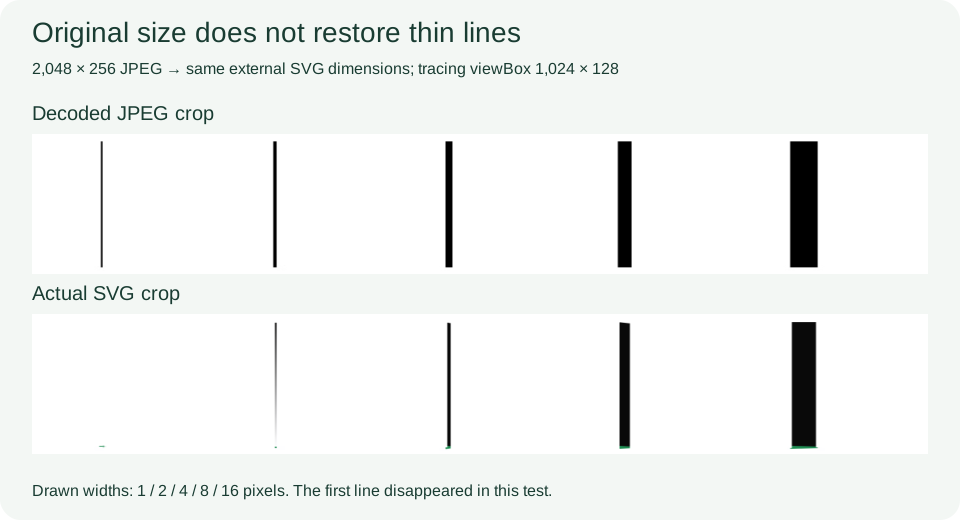
We independently rendered the SVG at its declared dimensions and sampled row 128. At x=100 the decoded JPEG was black, while the SVG was white: the one-pixel line disappeared in this sample. The two-pixel line became a faint narrow mark, with RGB (135, 135, 136) at x=201. Wider lines were visible but shifted at their left edges. Increasing the SVG display size cannot restore a line already lost during tracing. Crop unused margins in a copy of the source, then inspect the resulting small strokes.
Grays and lettering become approximations
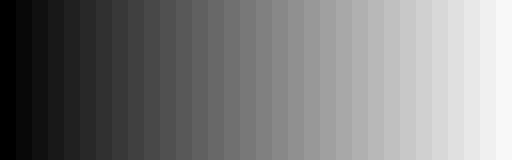
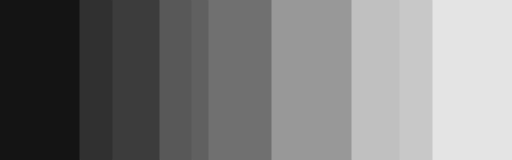
Our 32-band gray JPEG produced ten distinct SVG path fills, rather than 32 separate grays. At the band centers, decoded input values 0, 8, 16, 24 and 32 all rendered as 20 in the saved SVG. The brightest tested band, 248, rendered as 228. This is a controlled strip, not a photograph: it demonstrates how several tones can merge in this implementation. Photos, gradients and soft shadows should be compared visually with the source instead of judged by the SVG extension.
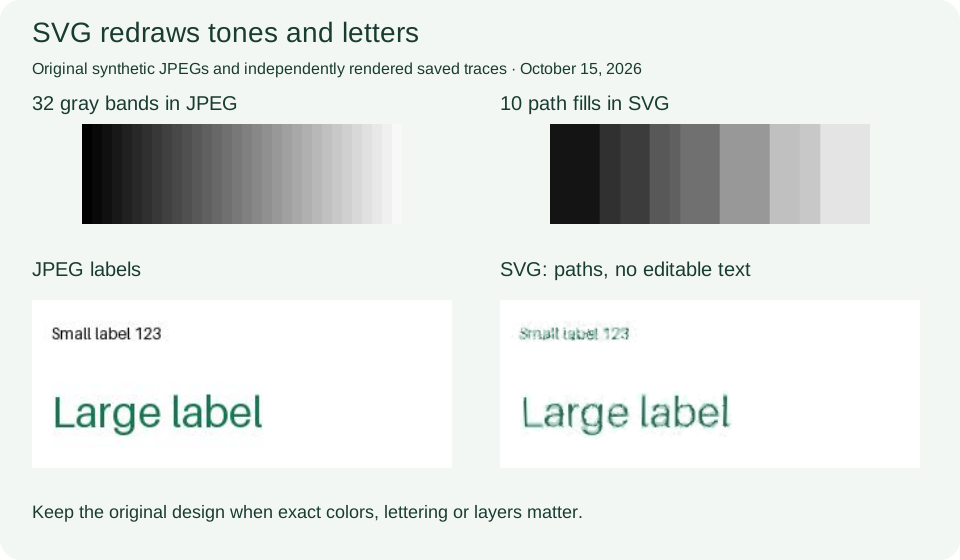
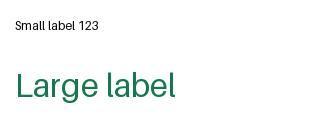
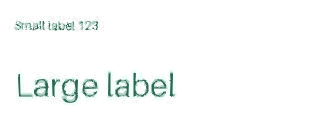
The separate lettering sample was a 3,871-byte JPEG with small and larger labels. Its SVG was 176,171 bytes and contained 1,214 paths, with zero text or embedded image elements. The letters remain recognizable in the independent render, but their edges look uneven. This output is outlined artwork, not recovered font text: changing the words in a text editor would require recreating them. We have not tested these outlines in a cutter, embroidery application or printing workflow.
Orientation and white backgrounds
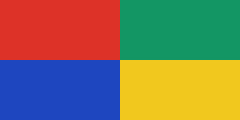
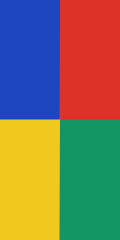
The four-quadrant orientation sample stores a 240 × 120 JPEG with EXIF orientation 6. The browser-decoded picture is 120 × 240, and the actual SVG declares 120 × 240 with the same rotated quadrant arrangement in the independent render. This verifies that example in the browser used for this test, not all cameras or orientation tags. The converter does not provide a manual rotate control. Check the preview before saving when your source relies on orientation metadata.
All six inputs are opaque JPEGs. Their saved SVGs include traced background regions; none performs automatic background removal. Independent renders also had some partially transparent edge pixels: for the quality-15 example the minimum alpha was 91 while fully opaque pixels were 255. Therefore an opaque JPEG does not prove that every rendered SVG edge remains opaque. The checkerboard preview helps reveal such edges; use the saved result on your intended background before relying on it.
Download and reproduce these experiments
Test date: . The six synthetic inputs were converted through the actual browser tool. Saved SVGs were independently parsed and rendered with sharp/librsvg. The dated manifest contains dimensions, bytes, SHA-256 hashes and inspection scope. Reproduction instructions and the input generator are included.
| Sample | Input JPEG | Output SVG | Paths |
|---|---|---|---|
| edges-q95 | 320 × 200 9,053 bytes | 320 × 200 138,422 bytes | 803 |
| edges-q15 | 320 × 200 2,975 bytes | 320 × 200 161,939 bytes | 1,104 |
| thin-lines-2048 | 2048 × 256 23,997 bytes | 2048 × 256 4,107 bytes | 23 |
| gray-steps | 512 × 160 3,525 bytes | 512 × 160 1,651 bytes | 10 |
| orientation-6 | 240 × 120 2,758 bytes | 120 × 240 1,742 bytes | 12 |
| labels | 320 × 128 3,871 bytes | 320 × 128 176,171 bytes | 1,214 |


SHA-256 of each downloadable pair
edges-q95
JPEG: 4189d3cee447e580f9db723b8a9208c5c8299f7a6dff9c91a6f670303c520670
SVG: 05b7adf0eed264c150d67e648d4fa1fa863ec70be43b2652066b6ec157c50b4e
edges-q15
JPEG: 601afa038ace5ee08f9b2aa3dcdf8b142ad4eff6b06bab3f63c59885c0f07134
SVG: 82b4228138d64019d6373d80abe26a2070a0b027dc4ec274bc95e149ad22e256
thin-lines-2048
JPEG: 74bdea379de3ab1949b941d5aca33e0882d55e6d2706d06d1a04692ad8597787
SVG: e867467fe1fd2a933882ef5a42842475e1cb93cbb04bea66f5d0a871065f9352
gray-steps
JPEG: 07582c1492008bac7b0be15d69dda933385217f6c3312da9bdd96af8969ff1aa
SVG: 48618a2ffda4038cea1847ef7e094cd4ed9ae10a1e6a440cb299408b37775a08
orientation-6
JPEG: 7adfe6024aa57274578605b60c0c6c5d5a90568211e5df2ecba93d11868f7a1a
SVG: 0df470ee03f12c627e5ff49b303e64a02bc8e34d38cce87701e07410036884fc
labels
JPEG: 17a2a2843a5287be9c79481a22511bae5fe586a9f443f66ec48f4cc7879b696e
SVG: 681b57691bd849e3a28af1c41b181007fe2327a89f187fda1b4663c68761b7d2
File hashes identify these exact samples. Different decoders or browsers may produce different traces; this is not a promise of identical results everywhere. Path counts describe saved file structure, not a quality score.
Current tracing behavior and errors
The existing tracing stage uses a 16-slot palette and fits the source inside 1,024 pixels on its longest edge. These are Filepetal settings, not SVG format requirements. ImageTracer’s own documentation describes its palette and path-filter options; this page does not expose those settings as user controls.
Choose one valid .jpg or .jpeg, up to 20 MiB (shown as 20 MB in the tool). Decoded images are limited to 4,096 pixels per side and 16 million pixels in total. These existing limits were not changed by this update. We tested a text file renamed .jpg, a truncated JPEG and a 4,097 × 1 JPEG: each showed an error with no SVG download or preview. Download these rejection inputs from the manifest to repeat the checks. For a damaged source, export a fresh copy; preserve the original.
Rejection inputs: fake.jpg · over-side.jpg · truncated.jpg.



JPG to SVG questions
Is this an SVG wrapper or real traced paths?
This converter traces paths. All six saved outputs have paths and no image elements. SVG can also embed a bitmap through an image element, so the extension alone does not establish vectorization. Paths still approximate the source.
Why did the smaller JPG create a larger SVG?
File size depends on the traced shapes. Our quality-15 JPEG was smaller than its quality-95 counterpart but created 1,104 paths instead of 803. This is one paired experiment, not a general compression rule.
Will a large SVG recover tiny text or lines?
No recovery is guaranteed. In the 2,048-pixel sample, one line disappeared after the smaller tracing stage even though the SVG kept the original external dimensions. Inspect the preview and compare with your source.
Can I edit the words or remove the white background?
The lettering becomes outlines, not editable font text. This tool has no background-removal control. Edit the traced paths in a suitable vector editor, or obtain the original design when you need reliable text and separate layers.
Will my camera image stay upright?
The saved orientation-6 sample converted to the expected 120 × 240 arrangement in this browser. Other sources were not covered by that test. Inspect the actual result, and rotate a copy of your source in an image editor if needed.