 Filepetal
How to convert PDF to JPG
- Choose one PDF in the tool above.
- Select “Convert to JPG”. Check the first-page preview and page count.
- Download the JPG for a one-page file, or the ZIP for several pages.
What this tool converts
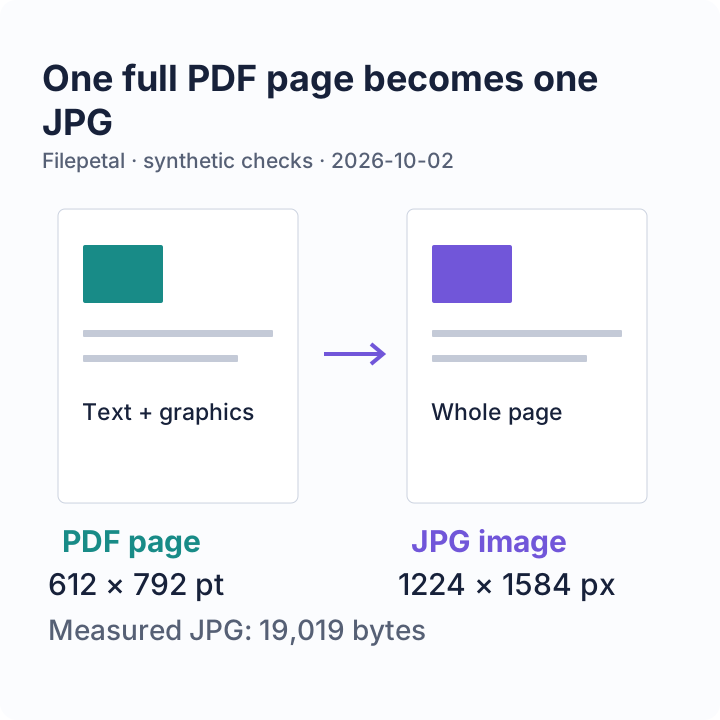
Each full PDF page becomes a compressed JPG, including its rendered text and graphics. This is page rendering, not extraction of embedded photos. The JPG no longer contains searchable PDF text, clickable links, form controls, or editable vector objects. Keep your original PDF.
Conversion runs on your device. Choose one unencrypted PDF, with no fixed file-size or page-count cap. Pages are rendered at up to twice their PDF viewport size, with a 4096-pixel side limit, 16 million pixels per page. There is no combined-pixel cap. Each page is rendered, encoded and its canvas released before the next page. Larger page dimensions are scaled down to the per-page bounds. The PDF, first-page preview and encoded archive still need device memory. Progress shows the current page; cancel stops without offering a partial archive. There is no DPI selector, page-range selector or OCR control.
Check page sizes, rotation and ZIP order yourself
On October 2, 2026, we made five small PDFs with colored rectangles, page numbers and a “TOP LEFT” marker, then converted them in this browser tool. These are synthetic documents, not personal records. The table links to the exact inputs and saved outputs so you can repeat the check instead of relying on a general quality claim.
| PDF sample | Input | Observed result |
|---|---|---|
| Letter marker | 1 page · 612 × 792 pt 866 bytes | JPG: 1224 × 1584 px 19,019 bytes |
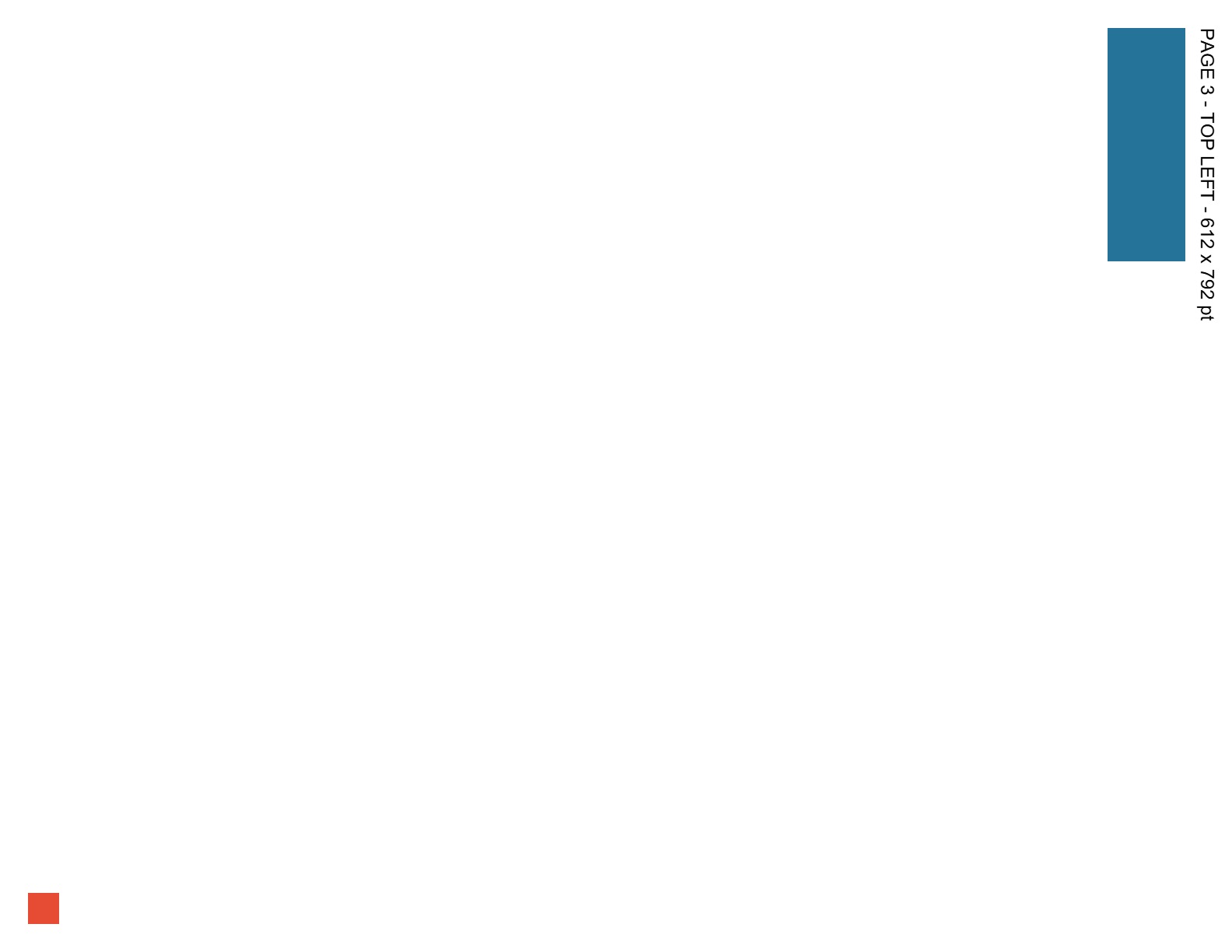
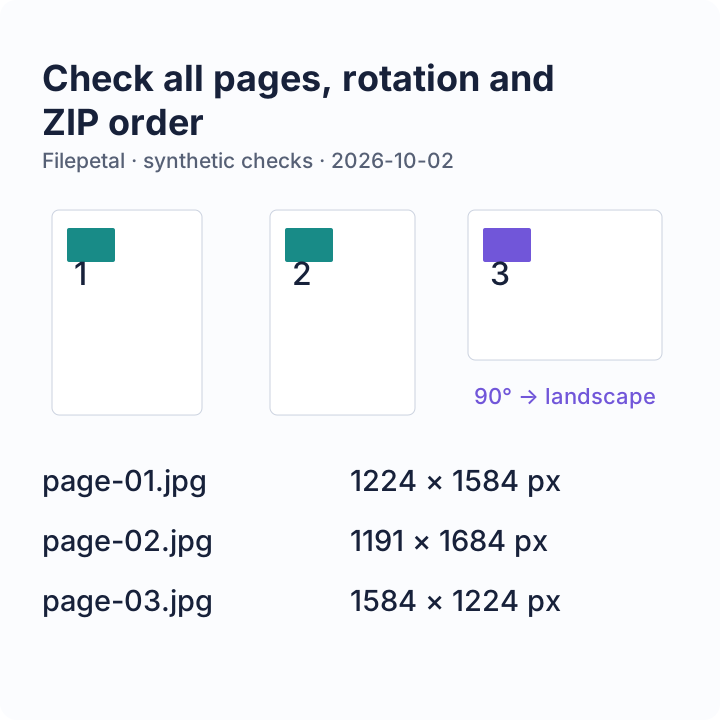
| Mixed sizes and rotation | 3 pages: Letter, A4, Letter rotated 90° 1,655 bytes | ZIP: 3 JPG files 23,682 bytes; individual sizes below |
| Wide page | 1 page · 10000 × 100 pt 869 bytes | JPG: 4096 × 41 px 3,274 bytes; scaled to the side limit |
| Former page-count boundary | 21 small pages · 72 × 72 pt each 8,229 bytes | Rejected in the October 2 test by the former 20-page cap. This restriction was removed on October 5; see the current retest below. |
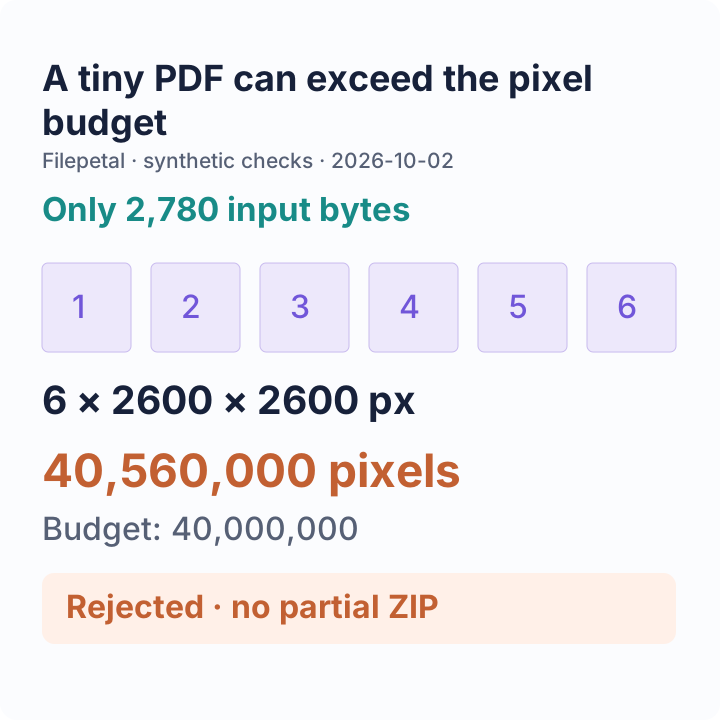
| Combined pixel limit | 6 square pages · 1300 × 1300 pt each 2,780 bytes | Historical October 2 result: rejected. The cap was removed on October 5; the current retest below succeeds. |
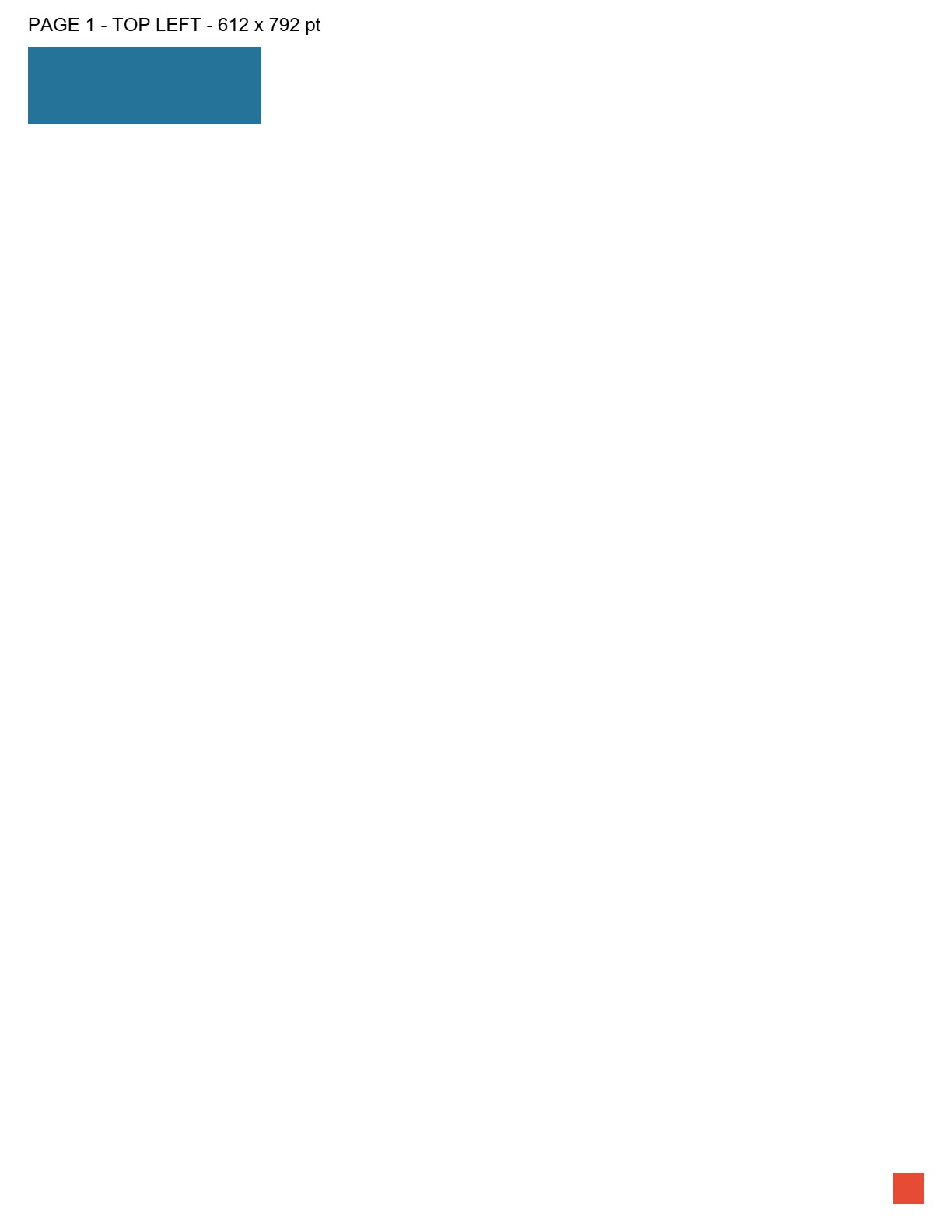

The mixed PDF’s ZIP contains page-01.jpg (1224 × 1584 px, 19,019 bytes), page-02.jpg (1191 × 1684 px, 20,892 bytes), and page-03.jpg (1584 × 1224 px, 19,878 bytes), in that order. The third page’s 90-degree rotation becomes a landscape image; its colored marker moves with the page. Unzip the download and inspect all three images, not just the first-page preview.
The wide PDF shows a different limit from page count: its original viewport is unusually wide, so this tool reduces the scale until the long side fits 4096 pixels. The other side rounds up to 41 pixels. The image remains wide; this is not cropping it to a square or promising print-quality detail.
The six-square PDF is only 2,780 bytes, but each rendered page would contain 2600 × 2600 pixels. Six pages total 40,560,000 pixels, beyond the combined budget. The combined-pixel and 21-page rejections above describe the October 2 implementation. Both were superseded on October 5. Neither error left a partial ZIP in the original test.
We reopened every successful output as JPEG and checked the dimensions, ZIP filenames, white background corners and the rotated colored marker. Output sizes above are measurements from these fixtures, not predictions for your PDF. Fonts, scans, page boxes and annotations in other documents may render differently.
To repeat: download one input PDF, convert it above, then compare the displayed page count and dimensions. Open the JPG or extract the ZIP and inspect the page markers. The input manifest and output verification record exact bytes and SHA-256 hashes. Use the input-generation script and output-check script for your own run; encoder or library changes can alter exact hashes. Our sample graphics are released under CC0.
Retest after removing the fixed size and page caps
On October 5, 2026, we removed the former 20 MB and 20-page restrictions for PDF input and tested these exact files in this browser tool. These measurements were saved after removing the byte/page caps, before the later sequential-processing update that also removed the combined-pixel cap. ZIP byte counts refer to these saved reference archives; the current streaming ZIP container can differ. These successful examples establish that the former thresholds no longer reject these files; they do not establish unlimited browser capacity.
| Input | Measured output | What it checks |
|---|---|---|
| Original 21-page fixture 72 × 72 pt per page · 8,229 bytes | ZIP: 21 JPGs 144 × 144 px per page · 64,120 bytes in ZIP | The exact previously rejected input now produces all 21 pages. |
| 50 numbered small pages 72 × 72 pt per page · 15,186 bytes | ZIP: 50 JPGs 144 × 144 px per page · 154,468 bytes in ZIP | All entries decode in page order. The document needs 1,036,800 rendered pixels, without reaching the former combined-pixel threshold. |
| PDF above the former 20 MB cap 1 page, 128 × 128 pt · 23,593,810 bytes (about 22.5 MiB) | JPG: 256 × 256 px 1,256 bytes | A real 3072 × 2560 RGB image stored without compression makes the file large. Its rendered page is small; both colored halves remain visible. |
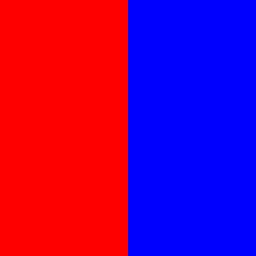
The 50-page fixture has a page number and a blue bar whose length increases on every page. We decoded every ZIP entry, checked filenames and dimensions, and verified all 50 PNG bar lengths against their page positions. The large PDF contains a red left half and blue right half. Its saved JPG has RGB (254, 0, 0) and (0, 0, 254) at the sampled centers. Encoded file bytes, embedded-image dimensions and rendered-page dimensions describe different memory costs.
Download the dated input dimensions, bytes and SHA-256 hashes, decoded output measurements and hashes, CC0 fixture generator and inspection script to reproduce. The earlier rejection rows above remain historical observations. Password-protected PDFs and invalid headers still fail without a partial download. The formerly rejected combined-pixel fixture now succeeds in the sequential retest below.
Retest without a combined-pixel cap
Later on October 5, 2026, we replaced the all-pages canvas array with sequential processing: render one page, encode it, add its compressed file to the archive, then release its canvas before starting the next page. The former 40-million combined-pixel rejection is gone. We converted the formerly rejected six-square input and a new 50-page Letter document in this browser tool. Every image below was reopened and decoded.
| Input | Measured output | Verified scope |
|---|---|---|
| 50 numbered Letter pages 50 pages · 612 × 792 pt each · 15,689 bytes | ZIP: 50 JPGs 1224 × 1584 px per page · 492,890 bytes in saved ZIP | 96,940,800 rendered pixels total. All entries decode in page order. All 50 blue bar lengths match the page positions. |
| Exact former six-square boundary 6 pages · 1300 × 1300 pt each · 2,780 bytes | ZIP: 6 JPGs 2600 × 2600 px per page · 46,268 bytes in saved ZIP | 40,560,000 rendered pixels total. All entries decode in page order. This exact input now succeeds. |
The 50 Letter pages total 96,940,800 pixels. Page N contains a numbered label and a blue bar that is 10 × N points wide; its rendered bar is 20 × N pixels wide. We checked all 50 bar lengths, dimensions and archive filenames for both PNG and JPG. The six square pages total 40,560,000 pixels and also produce a complete archive. These two documents exceed the former cap without lowering their previous rendering scale.
The PNG background, crop/rotation, wide-page scaling and 23,593,810-byte input also passed regression checks against the saved image bytes. Cancellation during conversion left no partial download, and the next one-page conversion succeeded. Password-protected PDFs and invalid headers still show errors. Progress displays the current page and total; cancellation may wait for the current encoding operation to finish.
This reduces retained decoded-page memory, not every memory cost. The original PDF, first-page preview, compressed ZIP chunks and encoded download representation still occupy memory. We did not measure a universal maximum or test every device. Individual pages still scale down to 4096 pixels per side and 16 million pixels. There is no DPI, page-range or password control.
Download the dated Letter input dimensions, bytes and SHA-256, every output’s dimensions, byte counts and SHA-256, CC0 generator and output inspection script. ZIP timestamps can change the archive hash; compare decoded entry hashes and page markers. The earlier budget diagrams and video record the former implementation and are historical, not current limits.
The checks, in three pictures
PDF to JPG renders whole pages. Inspect output dimensions, rotation and ZIP order; pages are now processed one at a time without a combined-pixel cap.
Frequently asked questions
Why did I get a ZIP instead of a JPG?
A PDF with several pages produces one JPG per page. The ZIP keeps them together; extract it to open the individual images. One-page PDFs download directly as JPG.
Can I extract the original photos from my PDF?
This page renders the entire page. It does not extract the embedded image files, so the result includes page margins, text and other graphics.
Why is my large page smaller than expected?
Rendering is capped by the pixel limits. Check the actual pixel dimensions shown after conversion; changing JPG metadata cannot restore detail that was not rendered.
Will a small PDF always work?
No. File bytes and rendered pixels measure different things. There is no fixed file-size, page-count or combined-pixel cap. Each page is processed separately, but the PDF and encoded archive still need device memory; damaged or password-protected documents can also fail.