 Filepetal
How to convert PSD to PNG
- Choose one supported PSD file in the tool above.
- Select “Convert to PNG”. The tool reads the file’s saved composite; it does not export individual layers.
- Inspect the actual PNG preview, including transparent edges, then download it. Keep your editable PSD.
One saved picture, not a layer editor
A PNG is useful for sharing a finished image. This tool reads the composite stored inside a supported PSD and writes one PNG at that canvas size. It does not redraw layer effects, offer a layer picker, or recover editable text. If a sender needs separate objects or revisions, ask for the PSD or export the required layers in an editor.
What our original PSD files show
Layer records and the saved composite are different things
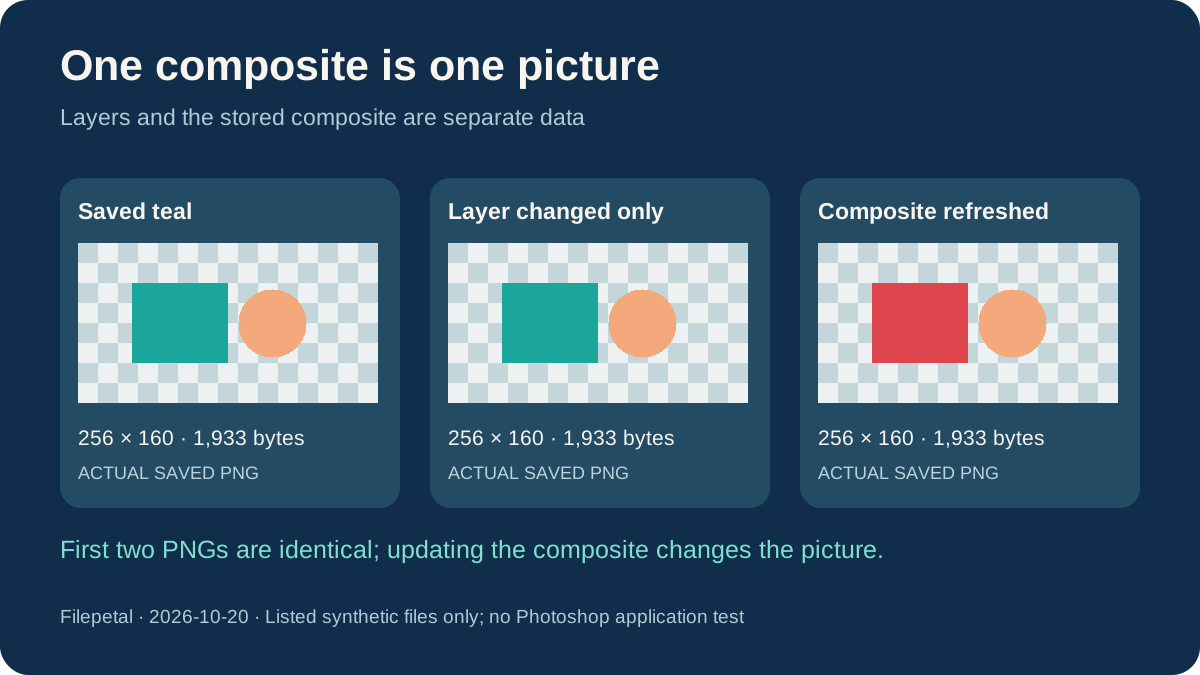
On October 20, 2026, we made layered-logo.psd with a teal panel, a peach circle and a hidden blue marker. The file contains three layer records and a saved 256 by 160 composite. The actual PNG was 1,933 bytes at 256 by 160. It showed the two visible shapes with a transparent corner, not three separate downloads. This is a controlled synthetic document, not a customer design or a Photoshop-generated test file.
We then made stale-layer-records.psd. Its panel layer was red, but we deliberately left its stored composite teal. The two PSDs have different SHA-256 hashes and are both 19,478 bytes. Their downloaded PNGs were byte-for-byte identical, including the same 1,933-byte size and full output hash in the manifest. This intentionally inconsistent fixture identifies which data this converter uses; it does not show that Photoshop normally saves incorrect composites.
In updated-composite.psd we refreshed the composite as well as the panel layer. The downloaded PNG now showed a red panel, while remaining 256 by 160 and 1,933 bytes. Its hash changed. File size alone could not distinguish these pictures. If an exported image shows an older appearance, compare the finished image with your editor and save a fresh compatible copy; this page cannot rebuild the intended design from the layer list.
Transparent pixels and white pixels need different expectations
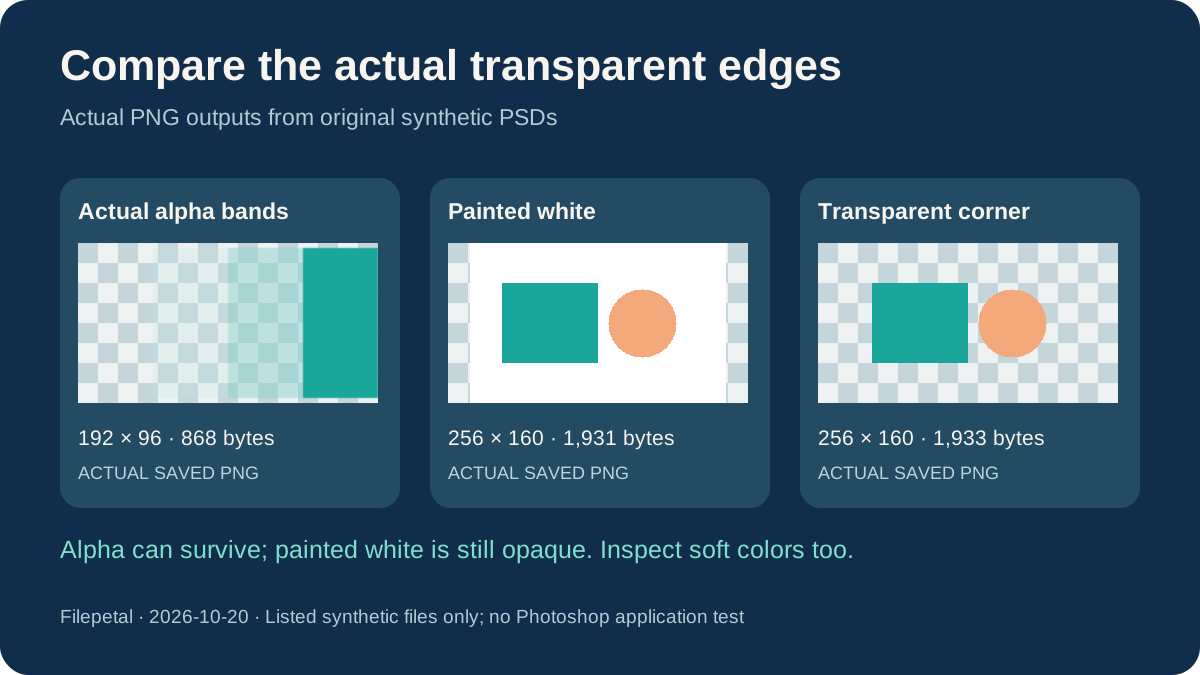
Our 192 by 96 alpha-bands.psd contains four alpha bands defined as 0, 64, 128 and 255. Its 868-byte PNG retained those four alpha values at the recorded sample positions. However, the partly transparent teal areas were lighter than the original RGBA reference used to build the file. The generator stores a white-matted composite, and this decoding route does not reconstruct the reference colors. This is why the samples include both the actual PNG and the original reference; alpha retention is not a guarantee of exact soft-edge color appearance.
The separate painted-white.psd already contained a white background. Its 1,931-byte PNG corner was opaque white, whereas layered-logo.png had a transparent corner. Both had the same 256 by 160 canvas. Renaming the output format did not remove the painted white area. Place the result over its intended background and compare the edges before sharing it; background removal is an editing operation this converter does not provide.
A successful-looking download can still be the wrong result
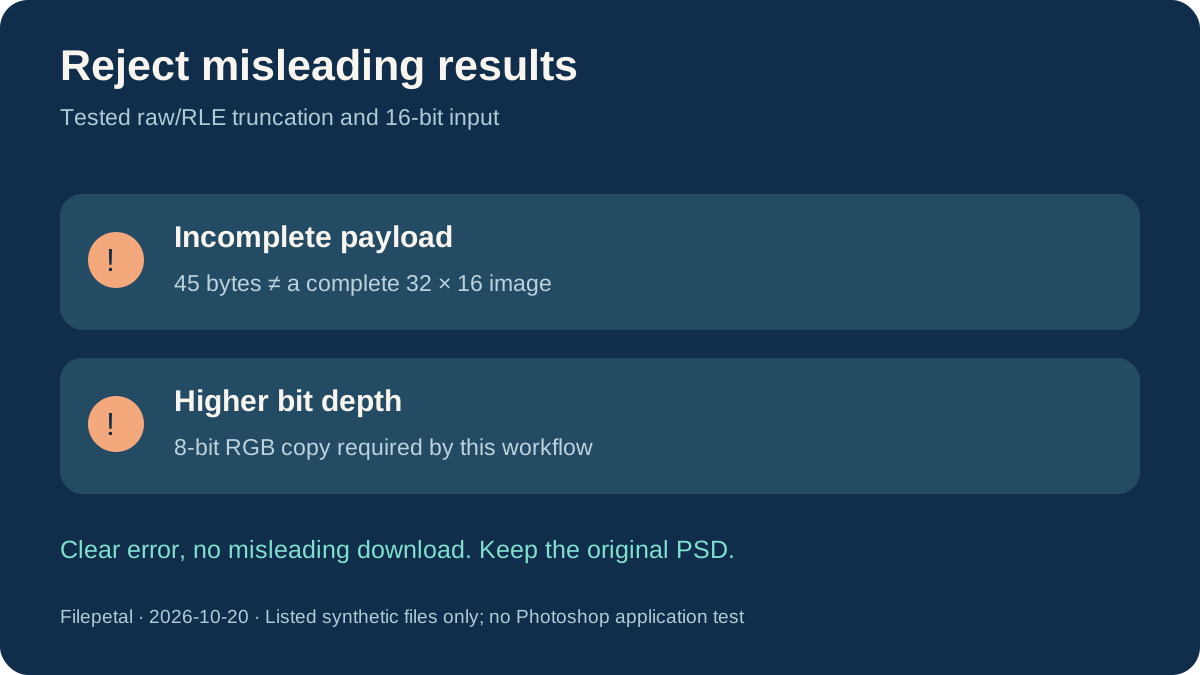
A deliberately truncated raw PSD contained only 45 bytes, despite declaring a 32 by 16 RGB picture. The old page produced a 118-byte PNG with a black corner instead of rejecting the missing image payload. The updated page checks the stored composite envelope and rejects this raw fixture and a separately truncated RLE fixture without a download. This is a specific correction for incomplete raw or RLE data, not a claim to detect every damaged PSD.
Our separate 32 by 16 RGB fixture uses 16 bits per channel with sample values 12,000, 40,000 and 12,000. The old pipeline passed those values into an 8-bit canvas and produced an all-white sample pixel in a 112-byte PNG. The updated page rejects non-8-bit PSD input with an explicit message rather than returning that misleading image. Export an 8-bit RGB copy in your editor if appropriate, and keep the higher-depth original. This page does not preserve 16-bit precision or certify a color-managed conversion.
A complete 8-bit 73 by 41 checkerboard produced a 393-byte PNG at the same dimensions. Our CMYK fixture and a text file renamed to .psd were rejected. These outcomes describe the listed files and tested browser, not every Photoshop feature, color mode or application. We did not compare the same files through competitor converters or test Adobe Photoshop itself.
Download the exact PSD inputs and real PNG outputs
Original synthetic tests dated October 20, 2026. Input and output byte counts, dimensions and full SHA-256 hashes are in the downloadable manifest. The generator requires Node.js and ag-psd 31.0.2; the browser encoder can produce different bytes on another device. Diagnostic bad outputs remain in the evidence record and are not offered as current successful conversions.
| Sample | PSD | PNG |
|---|---|---|
| Transparency and soft-color boundary | alpha-bands.psd 192 × 96 · 6,732 bytes | alpha-bands.png 192 × 96 · 868 bytes SHA-256621f507aaf889fd2208e604ca6afaa04dc6484ac1d8bde82cbf9fbbf3abe05c6 |
| Odd-sized flat checkerboard | flat-rgb.psd 73 × 41 · 2,862 bytes | flat-rgb.png 73 × 41 · 393 bytes SHA-256c3c52f152ab36dc0f6e82465dcfe5dd96417d0db7349f3554364ac56ee9560aa |
| Three layer records, one saved composite | layered-logo.psd 256 × 160 · 19,478 bytes | layered-logo.png 256 × 160 · 1,933 bytes SHA-25603344ec5c7de58e321469b0831f9c7448c8e78bc6eee59c711420365b30ebb78 |
| Already painted white background | painted-white.psd 256 × 160 · 8,588 bytes | painted-white.png 256 × 160 · 1,931 bytes SHA-2567fd274a4ece140a5132ecdce52d3e4d1d9fcd3660f305953c9bd58e9a1146ca6 |
| Deliberately stale composite | stale-layer-records.psd 256 × 160 · 19,478 bytes | stale-layer-records.png 256 × 160 · 1,933 bytes SHA-25603344ec5c7de58e321469b0831f9c7448c8e78bc6eee59c711420365b30ebb78 |
| Composite updated with the layer | updated-composite.psd 256 × 160 · 19,478 bytes | updated-composite.png 256 × 160 · 1,933 bytes SHA-2568b7d92e4773986f557f2b928241dfd89cadf5ba9d87f66dbfa716161336362a0 |






Full input/output hashes and verification manifest · Input generator
Diagnostic inputs: rgb16.psd · truncated.psd · truncated-rle.psd · cmyk.psd · wrong-signature.psd ·
Supported files and practical limits
Choose one PSD up to 20 MB. The current canvas is limited to 4096 pixels per side and 16 million pixels total. This workflow requires 8 bits per channel; an 8-bit RGB copy is the tested path. The tested CMYK file is unsupported. There is no batch selection, layer extraction, layer editing, background removal or bit-depth selector. Conversion stays in your browser. The preview shows the actual output; it is not a Photoshop compatibility or color-fidelity certificate.
PSD to PNG questions
Will the PNG keep my PSD layers?
No. This tool exports one saved composite as a single PNG. The PSD remains your editable source; use an image editor when you need individual layer exports or revisions.
Why can the PNG look different from my layer edits?
This page reads the saved composite rather than redrawing the layers. Our intentionally stale fixture proves that changing layer records alone did not change the output. Compare the file in an editor and save an updated compatible copy.
Will converting PSD to PNG remove a white background?
No. Our painted-white example stayed opaque white. The alpha-band example retained transparency already in the composite, but partly transparent colors also need visual inspection.
Can I convert a 16-bit PSD here?
This workflow requires an 8-bit-per-channel PSD. It now rejects the tested 16-bit input instead of returning the old all-white result. Export a separate 8-bit RGB copy if needed; keep the original for high-depth editing.
Why is my incomplete PSD rejected?
The current checks reject the tested truncated raw and RLE composites. Ask the sender for the complete file or re-save it in an editor. Renaming a different file to .psd cannot make it a valid PSD.