 Filepetal
Curves, dimensions and rejection boundaries: actual samples
Original experiment: October 31, 2026. Six valid SVG sources, six actual EPS downloads and ten rejection controls in one desktop browser. No competitor or print-shop test.
What is inside your EPS?
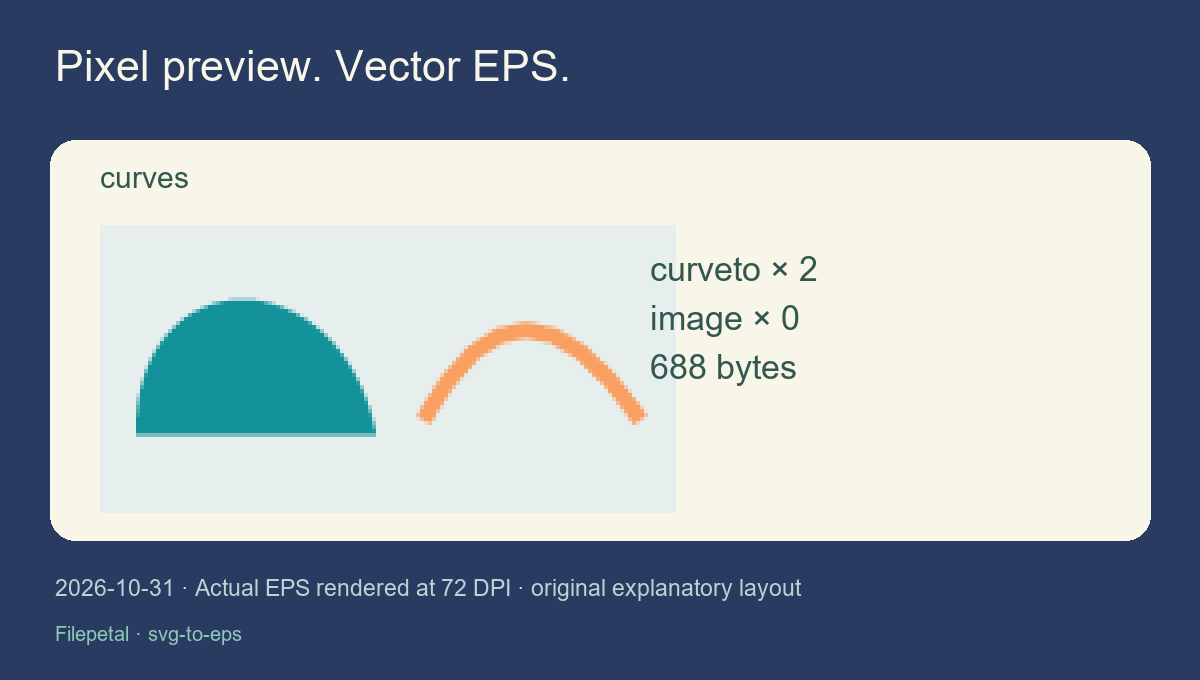
Our curve test contains a filled cubic path and a stroked quadratic path. The actual downloaded EPS is 688 bytes and has two curveto operations. The original cubic control points remain in the output; the quadratic is expressed as an equivalent cubic. There are no image, colorimage or imagemask operators in this generated file. This inspection concerns this writer and these samples, not every file carrying an EPS extension.
The result preview is different from the vector file. We render the actual EPS with Ghostscript WebAssembly at 72 DPI to show what it paints, then independently inspect that PNG with Pillow. A pixelated enlargement of this preview does not mean the downloaded EPS became a bitmap. Conversely, a smooth-looking preview alone would not prove that some other EPS contains only vectors. Inspect the file structure as well as its appearance.
Keep physical size separate from preview pixels
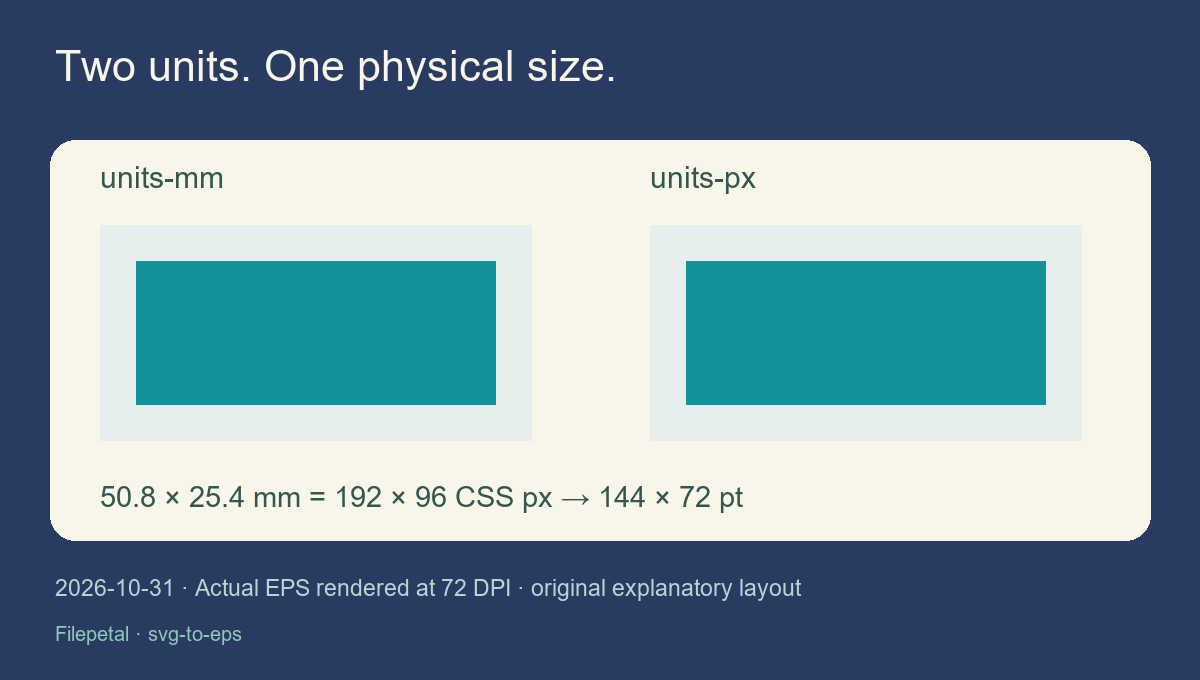
We made two plain SVGs with the same rectangular artwork and viewBox. One declares 50.8 by 25.4 millimetres; the other declares 192 by 96 CSS pixels. Both downloads are exactly 506 bytes, have identical SHA-256 hashes, and declare a 144 by 72 point bounding box. That is a two-inch by one-inch page. The 144 by 72 pixel preview follows the chosen 72-DPI rendering, rather than imposing a fixed resolution on the vector artwork.
This exporter requires explicit width and height in px, mm, cm, in, pt or pc; unitless dimensions mean CSS pixels. Percentage dimensions are rejected. We accepted a 2048-point-wide control and rejected a 2049-point-wide one. Those are this page’s limits, not limits of the EPS format. If your receiving application displays a different physical size, compare the declared box and its import settings before scaling your artwork by eye.
Margins, holes and circles need their own checks
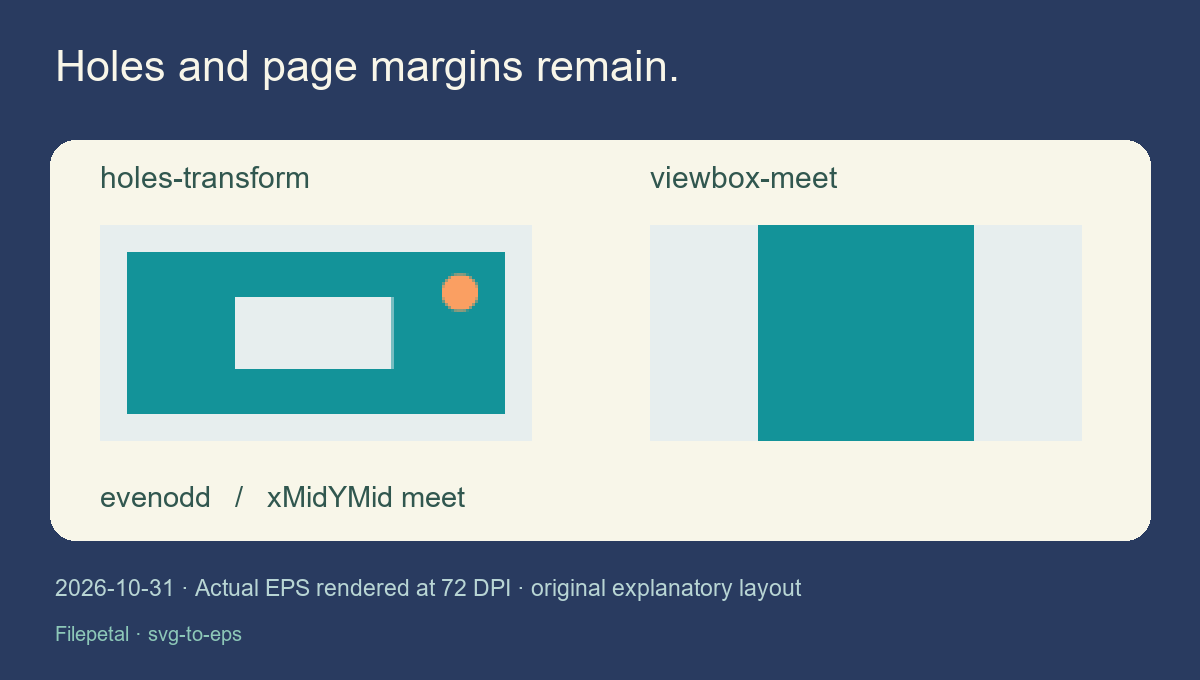
Our shifted-viewBox sample includes a group translation and an even-odd compound path. The EPS preview retains the clear rectangular hole: the inspected center pixel has zero alpha, while the surrounding painted region is opaque. Another sample places a square viewBox on a wider page. The default xMidYMid meet mapping leaves equal empty margins on both sides instead of stretching the square. These are controlled coordinate and fill-rule checks in one tested browser.
The declared EPS box is the SVG page extent, and artwork is clipped at that page boundary. It is not an automatic tight crop around painted shapes. Circles and ellipses are represented by four cubic Bézier approximations; they are not analytic circles in the output. Rounded rectangles, arc commands and shorthand path commands must be converted to supported paths in an editor first. Do not treat the geometry count as a cutting or printer certification.
Unsupported effects stop the conversion
The partial-opacity, gradient, live-text, embedded-image and CSS controls all fail with an explanation. Their old download link disappears after a new selection. This is deliberate: our exporter does not flatten those effects into an image or silently replace translucent paint with an opaque color. If your design relies on them, keep the original and use an editor or workflow that supports the required appearance. Converting text to outlines is a preparation step outside this tool.
Six valid sources and ten rejection controls were exercised through the actual converter on October 31, 2026. The malformed XML, empty painted geometry, oversized file and unsupported arc controls are separate failures, not evidence that all malformed SVGs are safe or that every unsupported feature is recognized perfectly. Download the exact controls below. No Illustrator, stock marketplace, physical printer, physical phone or competing converter was tested in this experiment.
Choose EPS for a known receiving workflow
This new Filepetal converter writes opaque RGB vector fills and strokes locally. It reuses the site’s file selector, bilingual shell and existing Ghostscript renderer, while the SVG-to-PostScript writer is new. The format label does not add CMYK conversion, spot-color separation, font embedding, layered Illustrator editing or stock-agency acceptance. Ask the recipient what they need and test the downloaded file in that application; our sample rendering cannot replace that final compatibility check.
All six output files, their source SVGs, point dimensions, byte counts, full hashes and preview PNGs are available together. The hashes identify exact bytes; they do not certify appearance in every renderer. Start with the curves and units pairs, then inspect the hole and page margins. Keep your original SVG, especially when preparing a simpler copy for this restricted exporter. These materials show what was verified here without claiming a unique feature or a better conversion than another service.
Download and reproduce
Full reproduction pack · Reproduction steps and scope · Full byte and SHA-256 manifest · Inspection record
| Sample | EPS extent (pt) | EPS bytes | Cubic curves | Files |
|---|---|---|---|---|
| curves | 144 × 72 | 688 | 2 | SVG · EPS · PNG |
| units-mm | 144 × 72 | 506 | 0 | SVG · EPS · PNG |
| units-px | 144 × 72 | 506 | 0 | SVG · EPS · PNG |
| holes-transform | 144 × 72 | 900 | 4 | SVG · EPS · PNG |
| viewbox-meet | 144 × 72 | 501 | 0 | SVG · EPS · PNG |
| limit-2048 | 2048 × 10 | 502 | 0 | SVG · EPS · PNG |












Full output SHA-256 values are in the manifest; both unit-pair EPS files have hash 9e55c2a30e18418d028ce3ddee75f1b1d502b0084f4887540140979506128505.
Frequently asked questions
Does an EPS extension guarantee vectors?
No. EPS can carry vector instructions or raster image data. Our six supplied outputs contain path operations and no raster image operators. That is a result for these files, not a universal rule.
Why does the preview have pixels?
It is a 72-DPI rendering of the actual EPS for browser display. The download still contains vector paths. This preview is not a bitmap embedded in the EPS.
Can I preserve transparent gradients or live text?
This converter rejects them. It accepts supported opaque solid-color shapes and paths. Prepare an outlined, simplified copy in your editor, or use a workflow that supports your original effects.
Is the bounding box the tight artwork crop?
No. This writer keeps the SVG page extent and clips at its edge. Blank margins remain. The default aspect-ratio mapping centers the artwork without stretching it.
Is this a CMYK or Illustrator 8/10 certified export?
No. Output uses RGB paint and a restricted PostScript Level 2 instruction set. We have not tested receiving design applications, stock-marketplace acceptance or physical printers.
Standards and reading: W3C SVG paths · W3C absolute units · Adobe EPS notes · Community question