 Filepetal
How to convert WebP to JPG
- Choose one .webp file in the tool above.
- Select “Convert to JPG”. Check the actual output preview, dimensions and byte count.
- Select “Download JPG” to save the result. Keep your WebP original if you need transparency or animation.
Conversion runs in your browser without uploading your image. The result is one compressed still image with a white background. This page has no background-color selector, resize control, quality slider or batch ZIP.
What changes when WebP becomes JPG?
Google’s WebP container documentation describes transparency and animation in WebP. A JPG does not keep those features. Transparent areas must become solid pixels, and an animation becomes a still. The HTML canvas serialization specification describes how a browser produces image files from a bitmap; an encoded JPG is not a copy of the original WebP container.
Accept one file up to 20 MB (20,971,520 bytes), with decoded dimensions no greater than 4096 pixels on either side and 16 million pixels total. These are this tool’s limits, not limits of the WebP format. Images exceeding them are rejected rather than automatically resized.
Seven samples: transparency, animation and limits
On October 4, 2026, we tested seven synthetic files in a desktop browser. Four produced JPGs; three produced errors. We decoded the actual output bytes offered by this tool and confirmed that the files opened as JPEG images. These are original pixel patterns, not personal photographs. Download the inputs below to repeat the conversion yourself.
| Sample | WebP input | Observed output |
|---|---|---|
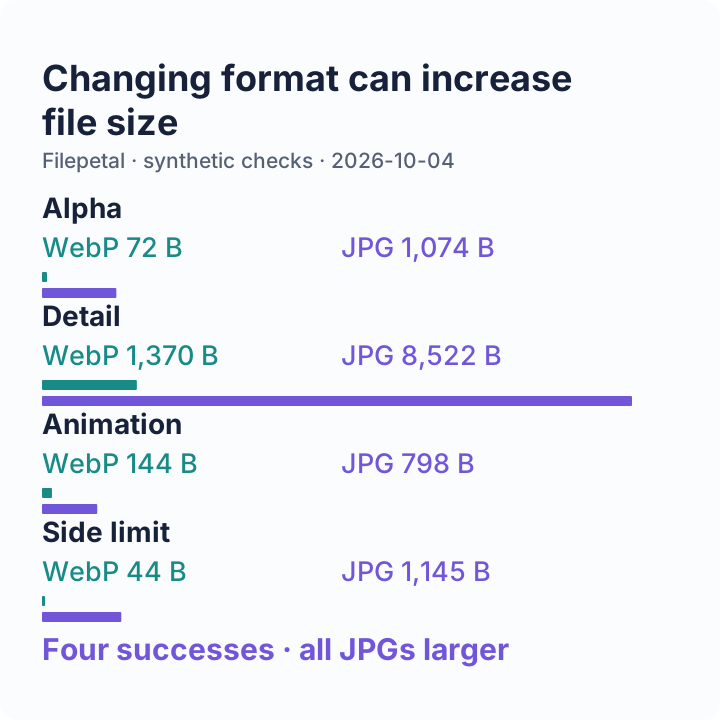
| Transparency bands | 256 × 128 px 72 bytes | JPG: 256 × 128 px 1,074 bytes |
| Odd dimensions and detail | 257 × 129 px 1,370 bytes | JPG: 257 × 129 px 8,522 bytes |
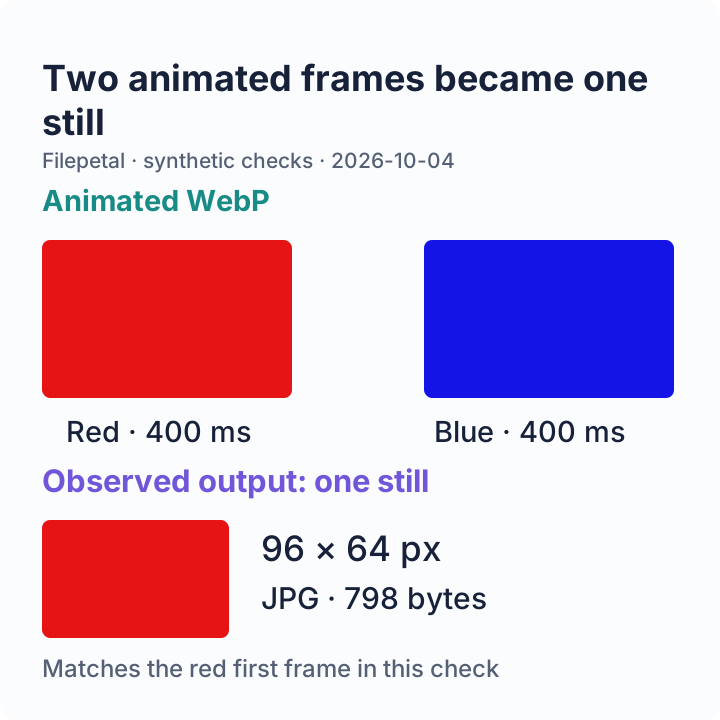
| Two-frame animation | 96 × 64 px 144 bytes | Single JPG: 96 × 64 px 798 bytes |
| At the side limit | 4096 × 8 px 44 bytes | JPG: 4096 × 8 px 1,145 bytes |
| One pixel beyond the limit | 4097 × 8 px 46 bytes | Rejected: exceeds the 4096-pixel side limit. |
| Truncated image | 24 bytes Incomplete file | “This image could not be opened in this browser.” |
| Renamed text | 26 bytes Text named .webp | “This file is not a valid WEBP file.” |


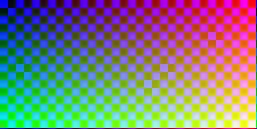
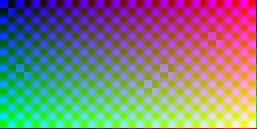







Partial transparency blends with white
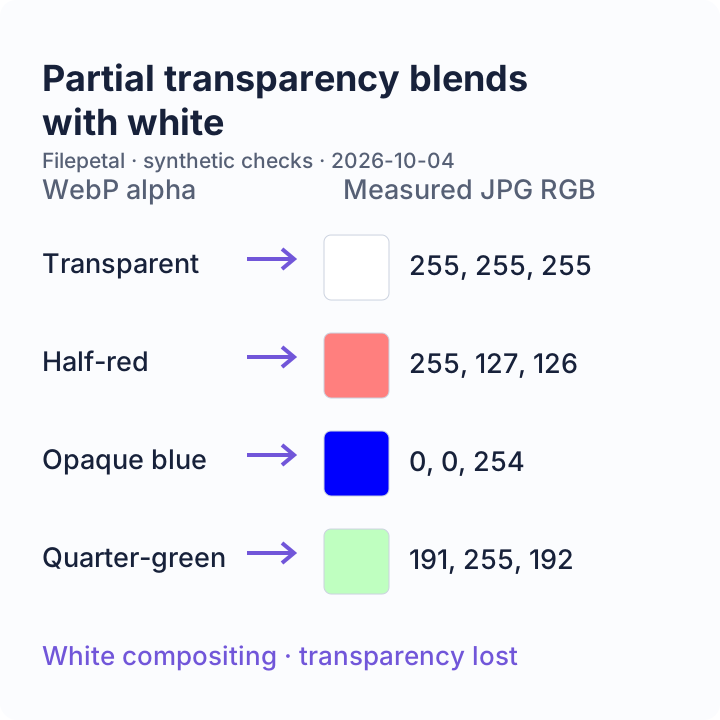
The four band-center RGB readings in our JPG were white (255, 255, 255), half-transparent red (255, 127, 126), opaque blue (0, 0, 254), and quarter-transparent green (191, 255, 192). Partially transparent colors became lighter; they did not simply turn fully opaque in their original colors. Slight channel differences reflect the saved JPG, so inspect edges as well as the preview.
The animation yielded one red still
Our animated WebP alternates red and blue frames, each lasting 400 milliseconds. The output was one JPG with a red center, RGB (230, 20, 21), matching the first frame. It did not contain both frames or an animation. This checks this sample in this browser, not every animated WebP variant. The page does not offer frame selection or a ZIP of separate frames.
A tiny file can still be too wide
The 4096-pixel sample succeeded, while the 4097-pixel sample failed despite being only 46 bytes. Their eight-pixel height keeps the total pixel count small, isolating the side-length boundary. The 257 × 129 sample kept both odd dimensions. These tests do not establish behavior at the separate 20 MB or 16-million-pixel boundaries.
All three failures removed the previous result and left no download available. The truncated file passed far enough to reach image decoding; the renamed text failed file validation. Renaming an extension cannot repair either problem.
Repeat a check by converting its input and comparing dimensions, colors and output size. The input manifest and output verification record bytes and SHA-256 hashes. Use the sample-generation script and output-check script to inspect the fixtures. Future browser encoders may produce different bytes or hashes. The engine version was not recorded; HDR, color profiles, metadata and other browsers were not tested.
This sample set adds reproducible evidence. It does not establish a unique feature advantage over competing converters.
The checks, in three pictures
A JPG is one opaque still image. Check transparency blending, frame choice and output size instead of assuming the WebP’s features survive.
Frequently asked questions
Why is my JPG larger than my WebP?
Changing formats does not guarantee compression. All four successful samples above became larger. Check the actual output bytes against your upload limit; a JPG extension alone does not indicate a smaller file.
Can I keep a transparent background?
Not in JPG. This tool uses white, as the transparency-band check shows. Keep the WebP original when transparency matters; there is no background-color control here.
Will an animated WebP stay animated?
No. The checked two-frame sample became a first-frame still. Use this page only when a single JPG is the intended result; it does not export the complete frame sequence.
Why does a WebP under 20 MB fail?
Decoded dimensions and file validity matter too. Our 46-byte over-width sample exceeded the side limit, and damaged or renamed files failed separately. Read the displayed error before trying again.